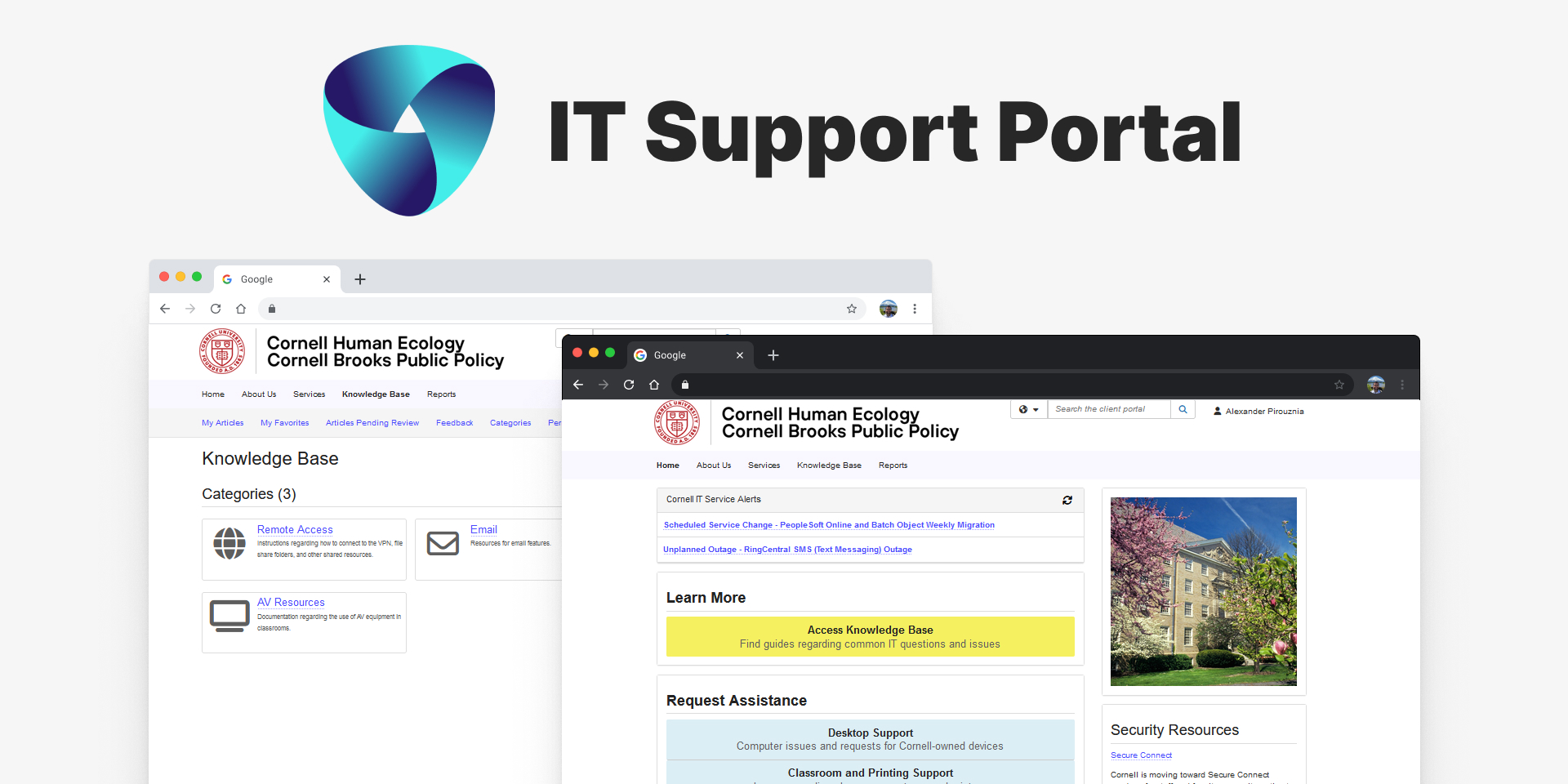
The IT support system for Cornell's Human Ecology and Brooks Public Policy schools was running on
an outdated, difficult-to-maintain platform. My goal was to analyze the existing support
structure, identify key pain points, and design a new TDX portal that would streamline ticket
management, enable users to find answers through a self-service knowledge base, and encourage
users to submit tickets through our platform.
Duration2 months • 2025
RoleResearcher & Designer
ToolsFigma, Notion, TDX, FigJam
Impact144+ cases in first month
My Contributions I worked closely with IT leadership to define
requirements and priorities. Wireframes and prototypes were presented to the support team
for feedback before development. I also coordinated with central IT services to ensure
compatibility with existing TDX infrastructure.
Results & Impact
The redesigned TDX Support Portal delivered immediate and measurable results, transforming how users
engaged with our support system. Within days of launch, we received positive feedback, including
comments like:
"Loving the new support site!"
The data below highlights the significant improvements in both case submission volume and user
adoption following the launch.
Streamlined Support Requests
The redesigned portal successfully addressed inconsistent submission methods by providing a
single, clear path for support requests. The 144 cases submitted in the first month represent a
complete shift from the previous fragmented system (email, walk-ins, etc.) to a unified tracking
system, making it easier for both users and support staff to manage requests.
May Case Volume: Historical Average vs. 2025
2020-2024 Avg
85
May 2025
144 (+69%)
Comparison of Average May Case Volume (2020-2024) vs. May 2025.
"The screenshots in the knowledge base articles make it easy to follow along."
Improved User Engagement
Comparing January-April 2025 to May reveals the immediate impact of the redesign. The 144 cases
in May represent a 56.5% increase over the previous monthly average, indicating that users found
the new system more intuitive and accessible than the previous outdated interface.
Monthly Case Submissions in 2025
89Jan
98Feb
92Mar
91Apr
144May
Pre-redesign
Post-redesign
Monthly Case Submission Dynamics in 2025.
Research
Outdated Portal Experience
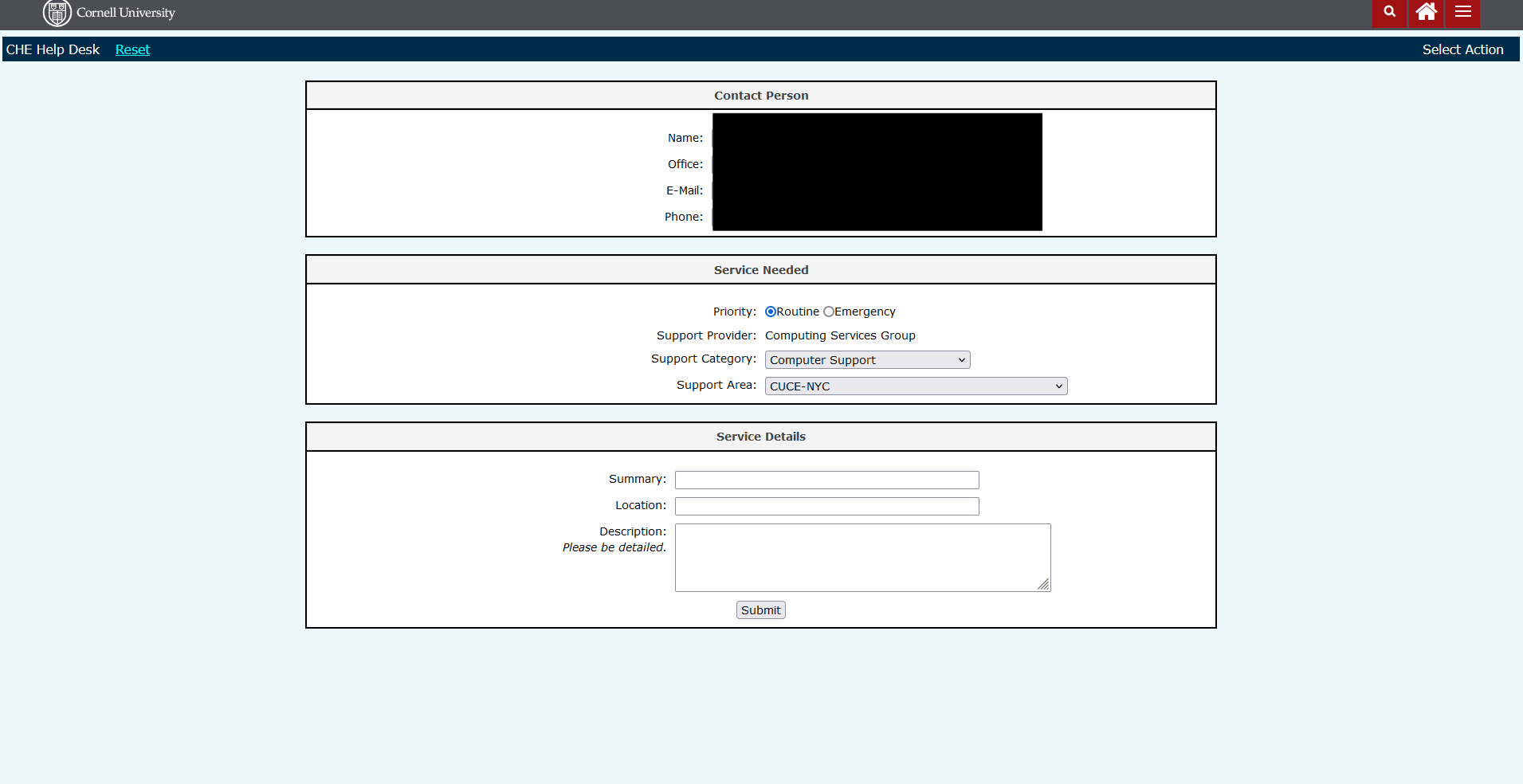
Our existing help desk portal, built on an older platform, created several challenges. The
dated interface felt disconnected from the campus tools that users were already familiar with.
Users submitted requests through inconsistent channels including email, walk-ins, and various
forms leading to fragmented support tracking. Without accessible
self-service options, the support team handled requests that users could have resolved on their
own, and the
aging platform made it increasingly difficult to implement improvements or maintain existing
functionality.
Legacy support portal with dated interface and limited functionality.
Analyzing Existing Solutions
I conducted a competitive analysis of other Cornell department portals to identify best practices
and common patterns. Reviewing portals from Arts & Sciences, CALS, the Lab of Ornithology, and
University Library helped establish consistent patterns while identifying opportunities for
improvement in our implementation.
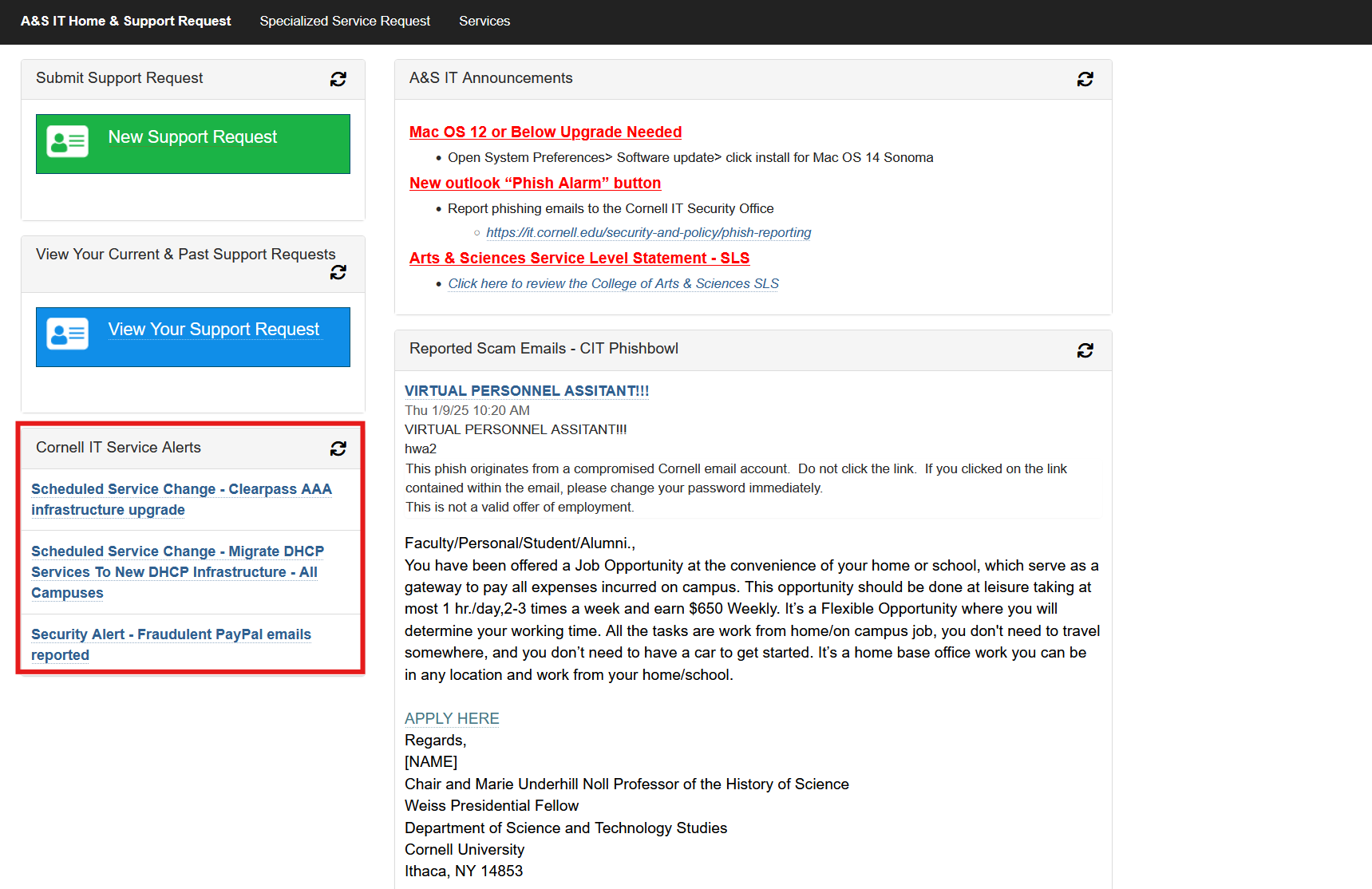
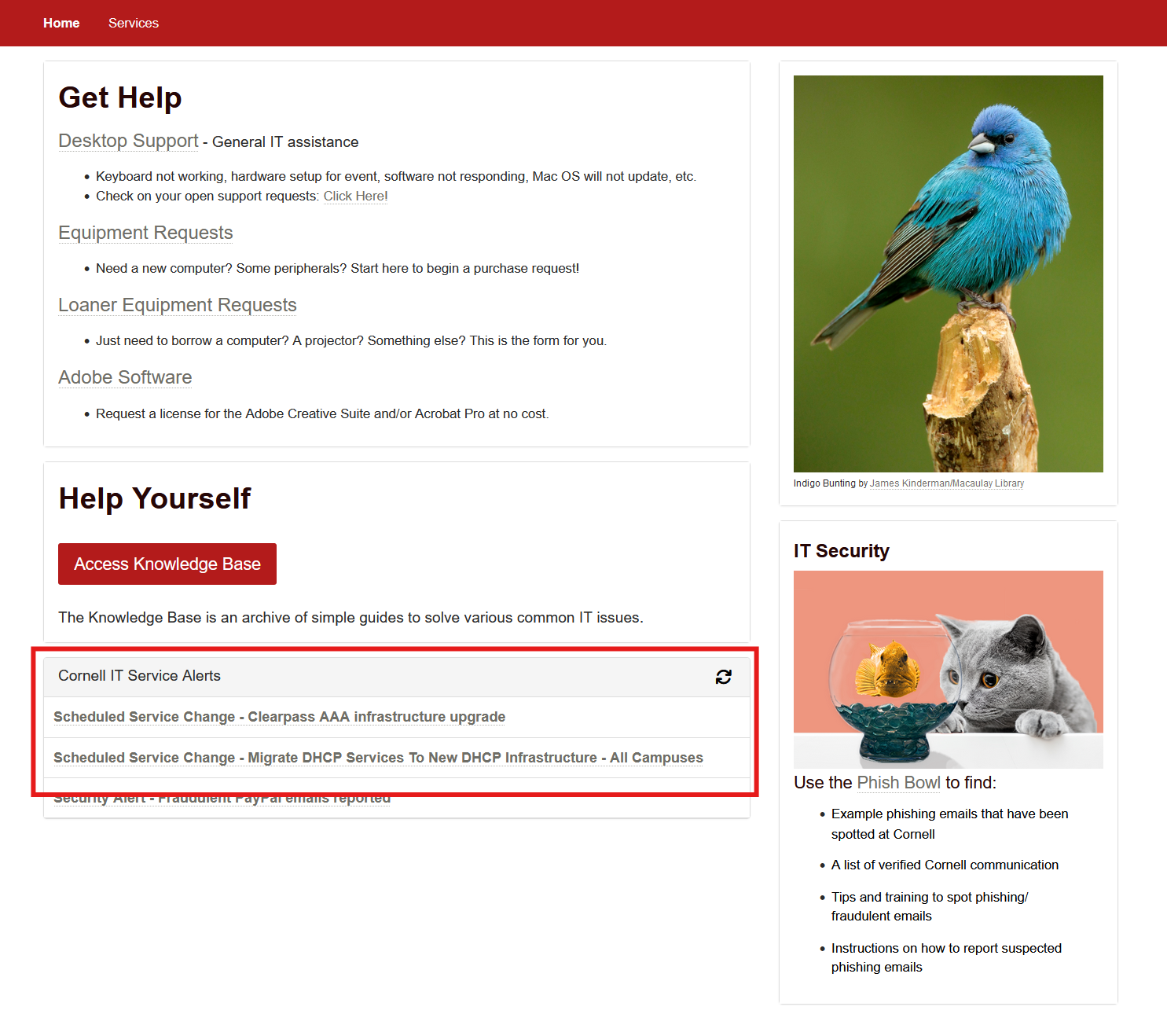
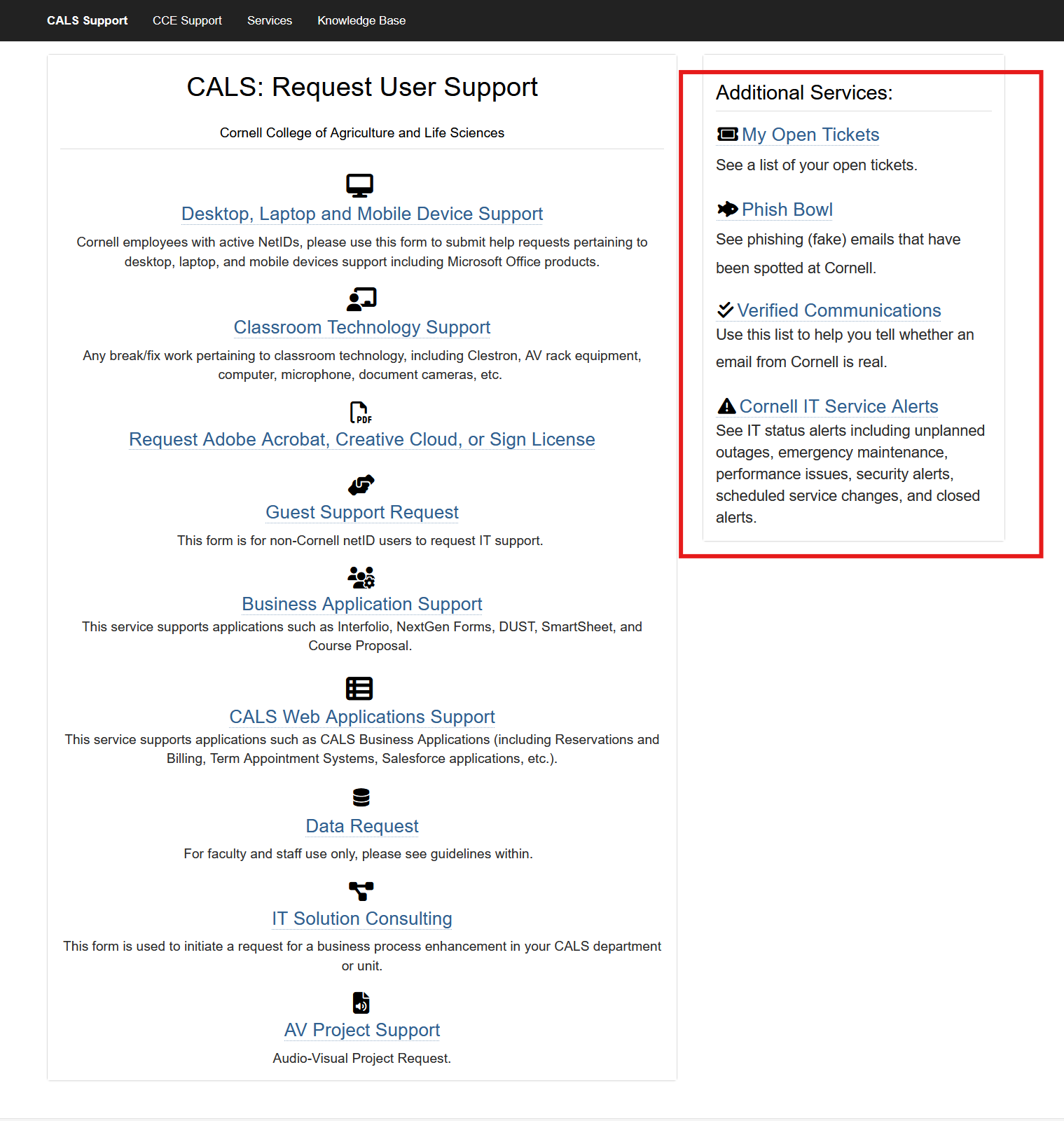
Service Alerts
All portals used standardized service alert banners to communicate system status and outages. This
pattern proved essential for proactive user communication.
Arts & Sciences portalLab of Ornithology
Popular Links
Quick access sections helped different user groups find frequently used resources without searching.
Cooperative ExtensionCALS portal
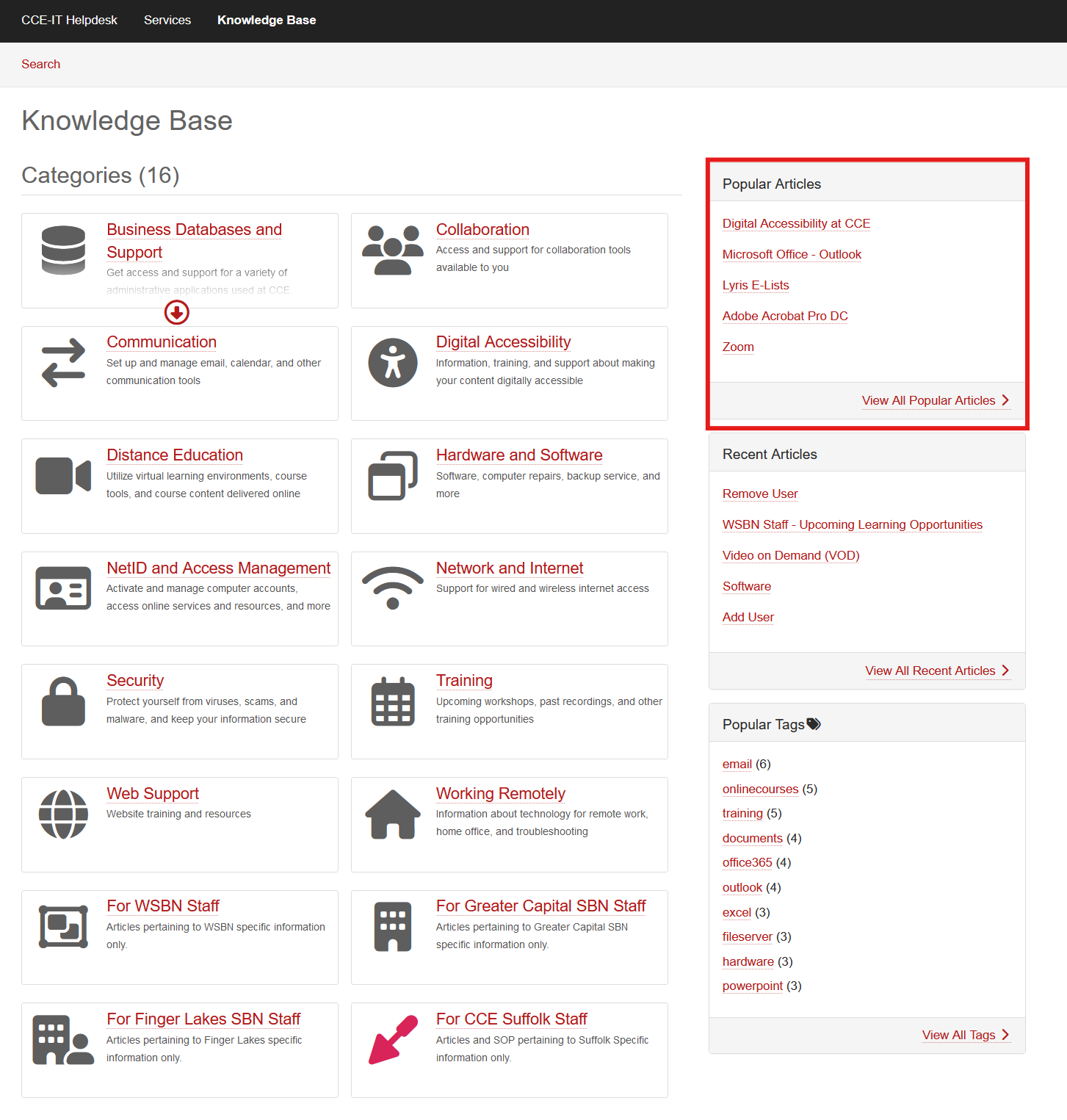
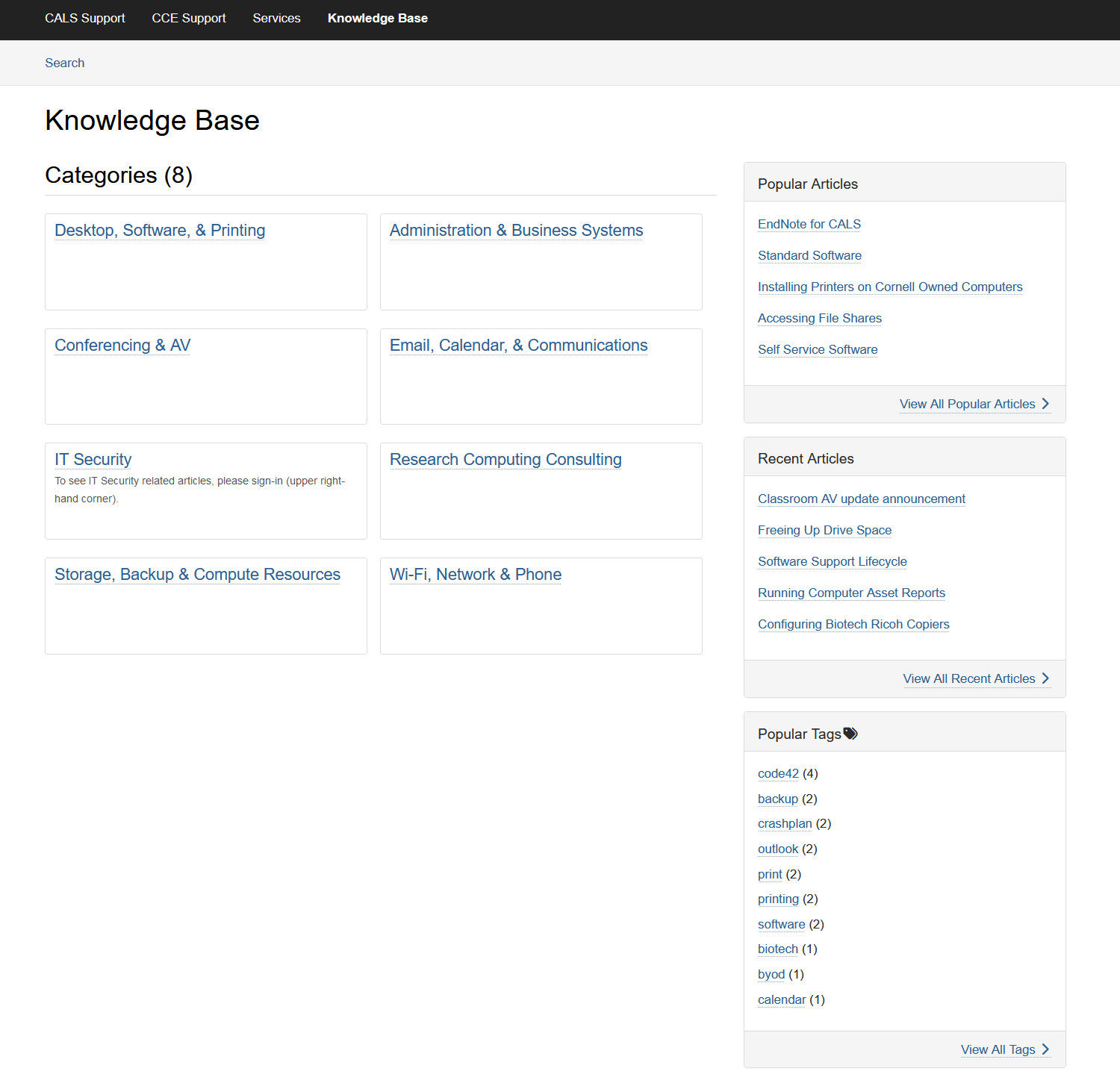
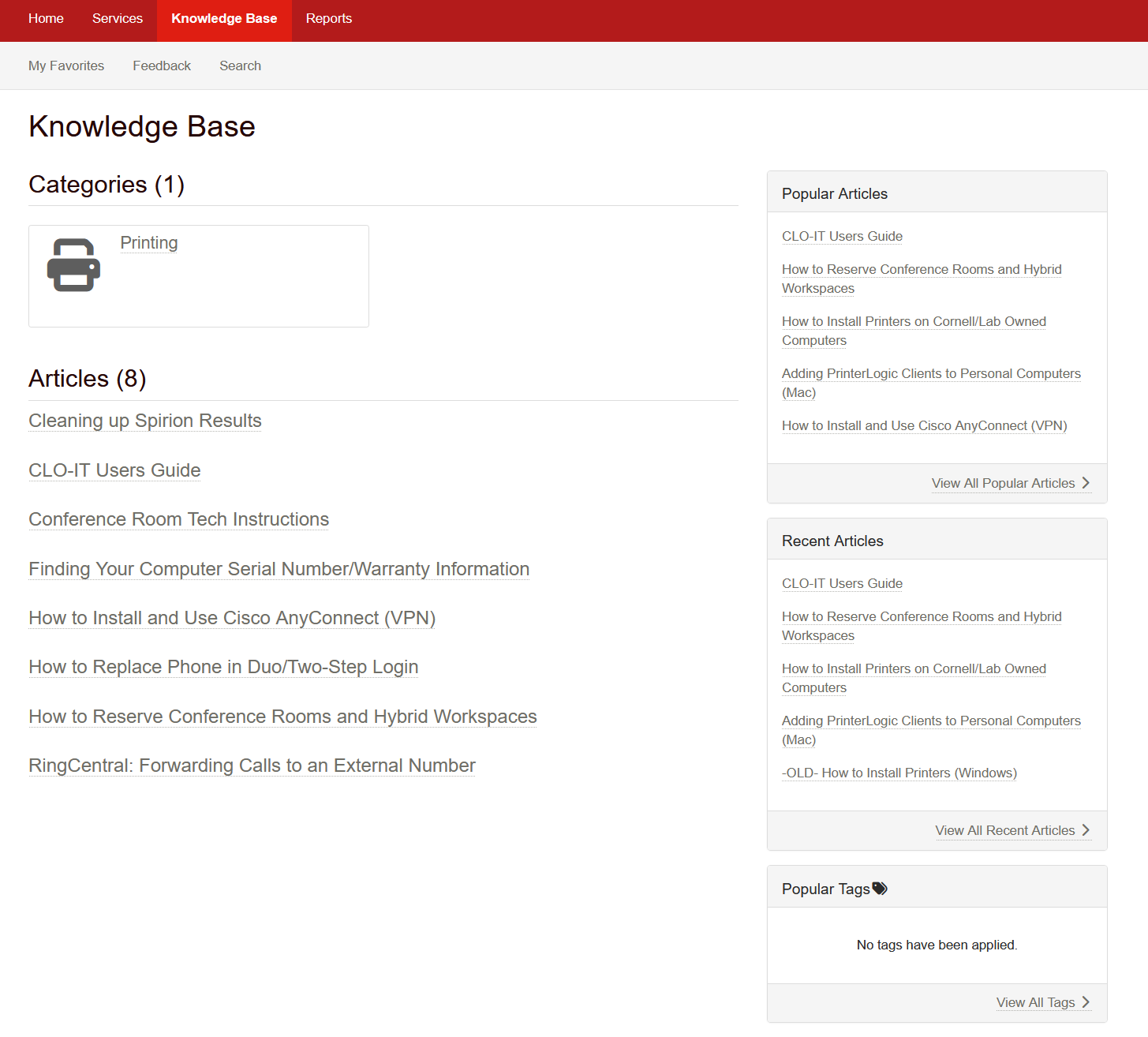
Knowledge Base
Self-service documentation varied in organization, from simple lists to structured categories.
Discoverability was a key differentiator.
CALS knowledge baseLab of Ornithology
Ticket Management
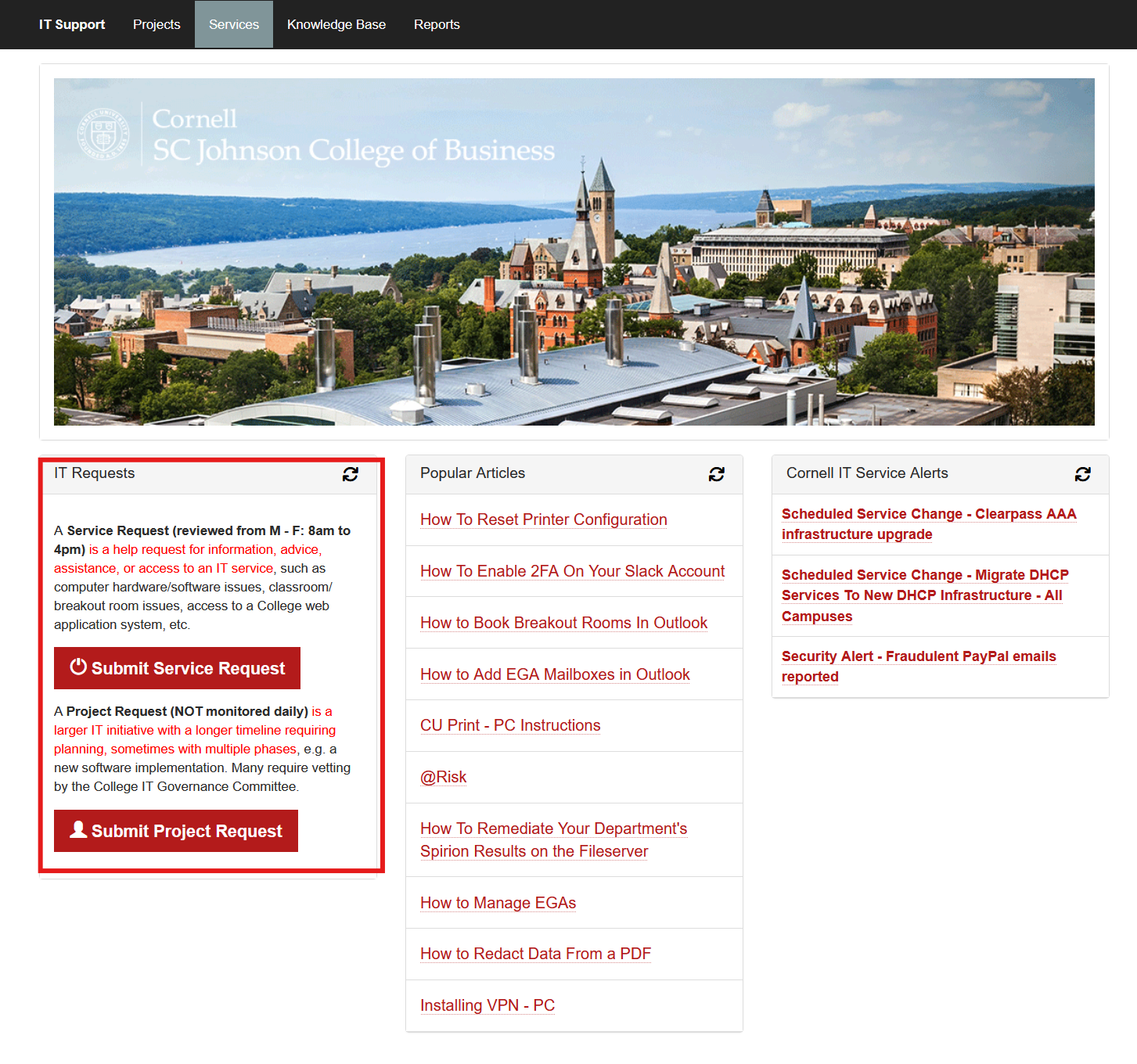
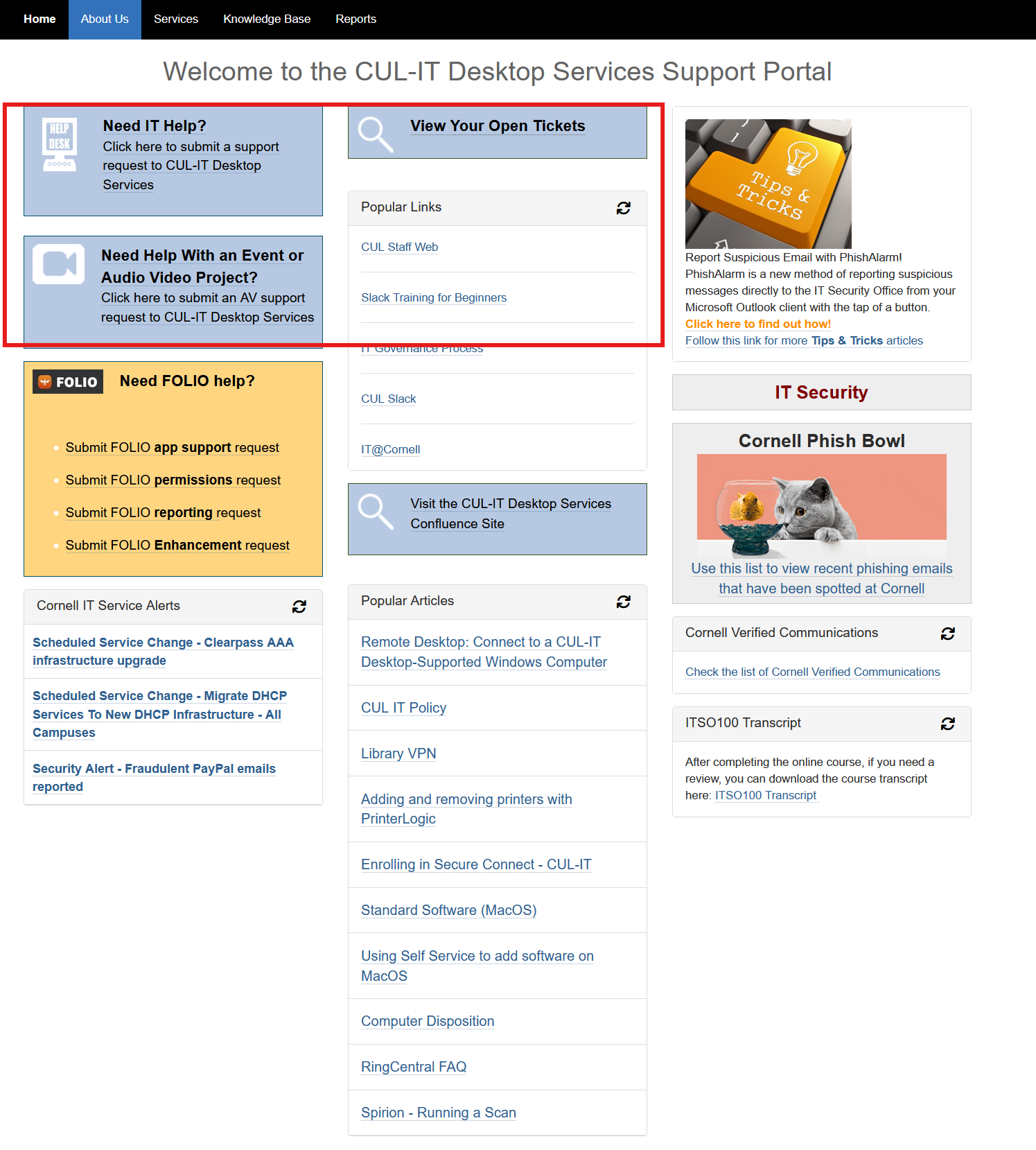
Ticket submission interfaces ranged from form-heavy to streamlined. Clarity of request types
correlated with better ticket categorization.
SC Johnson CollegeUniversity Library
Key Research Insights
The competitive analysis and stakeholder conversations provided aligned perspectives. From the
user side, people wanted quick access to common support requests and clear visibility into ongoing
issues. They needed self-help resources for common problems and a unified system that handled all of
their IT needs in one place.
Business goals aligned well with these user needs. The IT team wanted to reduce redundant support
requests and streamline ticket management. Improving response times and centralizing IT resources
would benefit both staff and users while making the support operation more sustainable.
Defining Requirements
Based on research, I established key requirements for the new portal spanning both user experience
and core functionality. For user experience, the portal needed intuitive navigation that matched how
users think about IT support along with recognizable responsive design for on-the-go access.
Core functionality requirements included a unified ticket submission system that would replace the
fragmented request methods, a comprehensive knowledge base for self-service troubleshooting, and
service status notifications to keep users informed about relevant information. We also needed
resource request
forms for common asks like software installations, along with an about page introducing our team and
services.
Design & Implementation
Content & Flow Planning
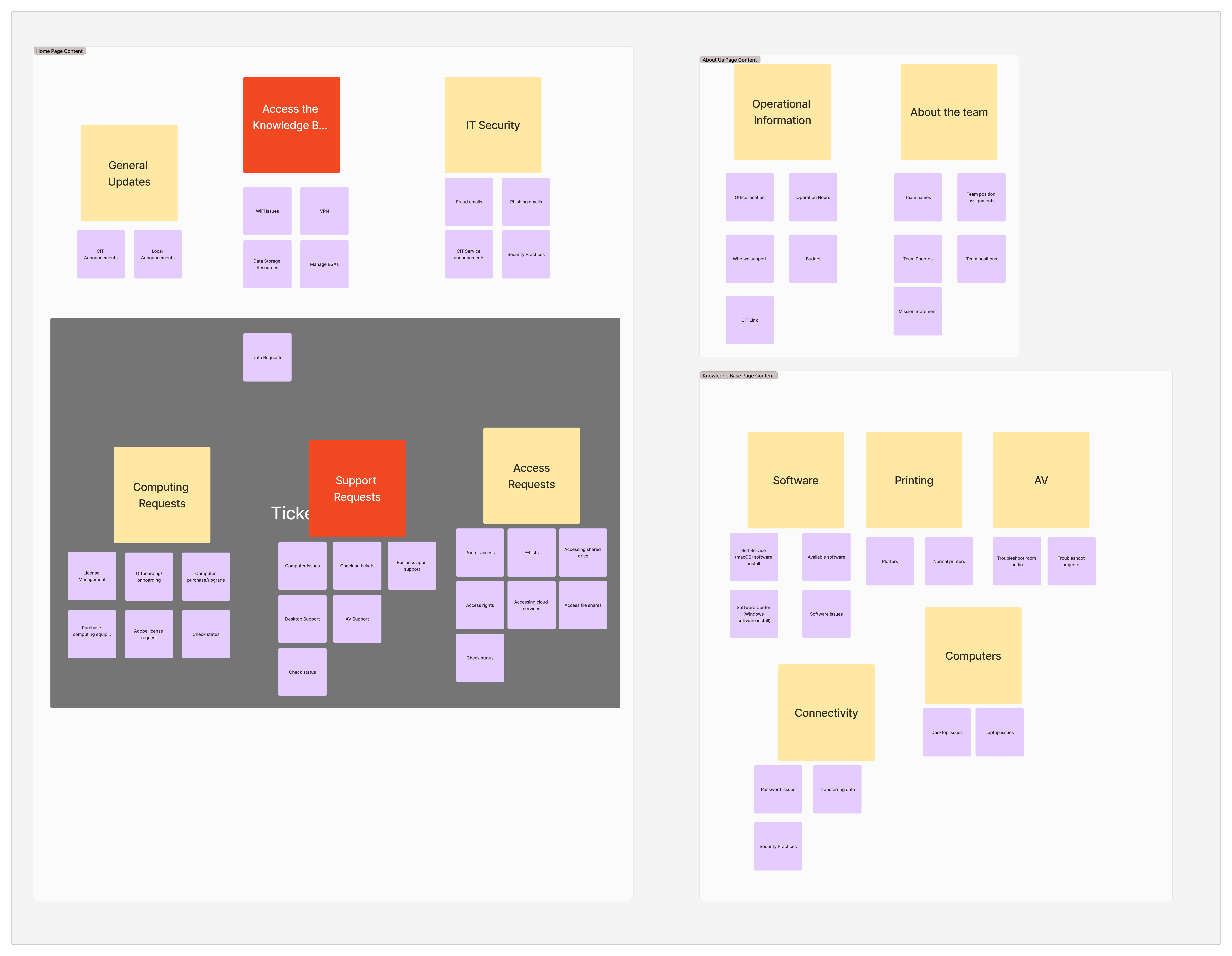
After narrowing down the key items for the site, I wrote each one on a sticky note and grouped
similar items together. This made it easy to spot patterns and organize the content.
Key items were clustered into different sections to better understand site flow.
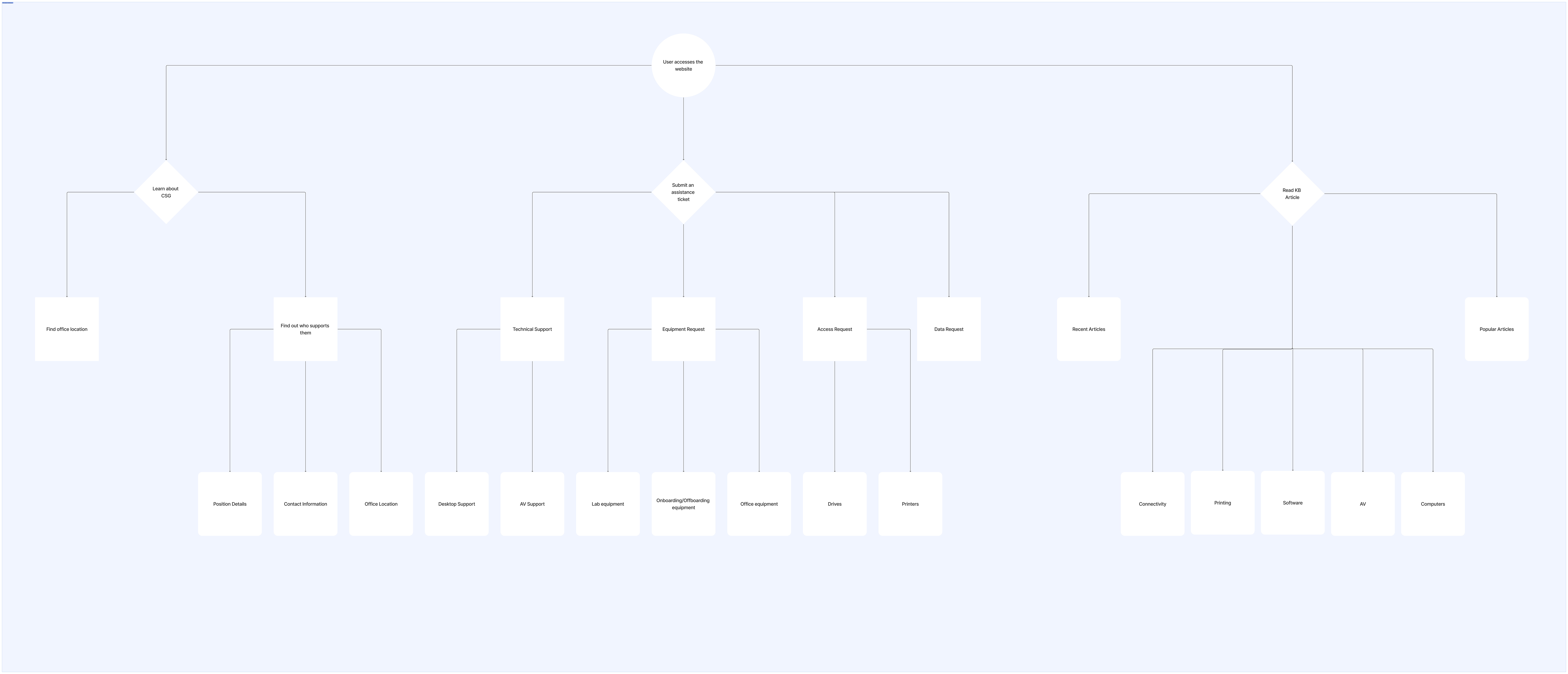
From there, I nailed down the three main reasons people visit the portal: learning more about our
team,
submitting an assistance ticket, and reading a knowledge base article. I mapped out how users would
accomplish each of these goals, which helped me shape the site's overall flow.
User goals branched off into how they would achieve them.
Wireframing
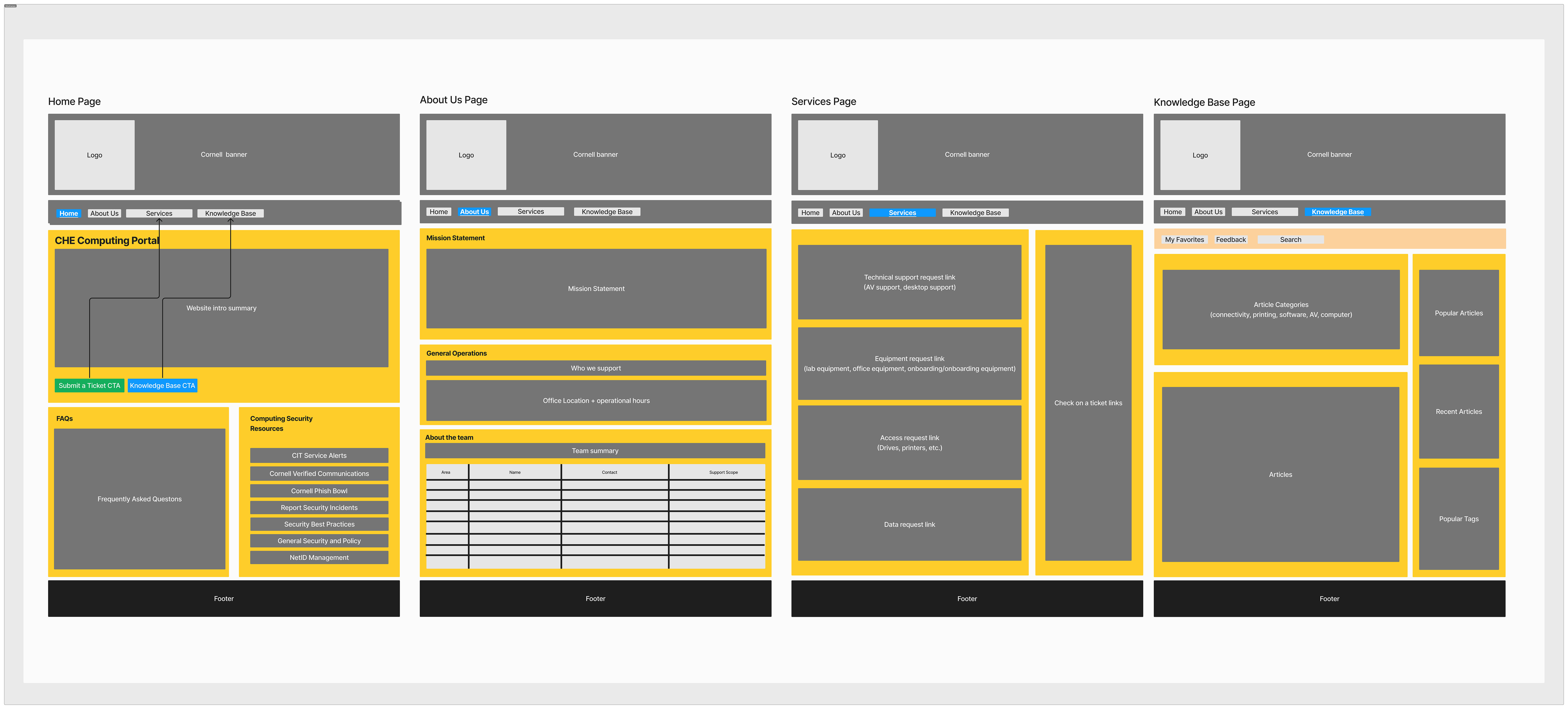
Referring back to the site structure I'd mapped out, I sketched out low-fidelity flows for each core
task. I shared these with the team and iterated based on their feedback, making sure the main user
journeys were clear and intuitive before moving on to visual design.
Wireframes to visualize site.
Implementation
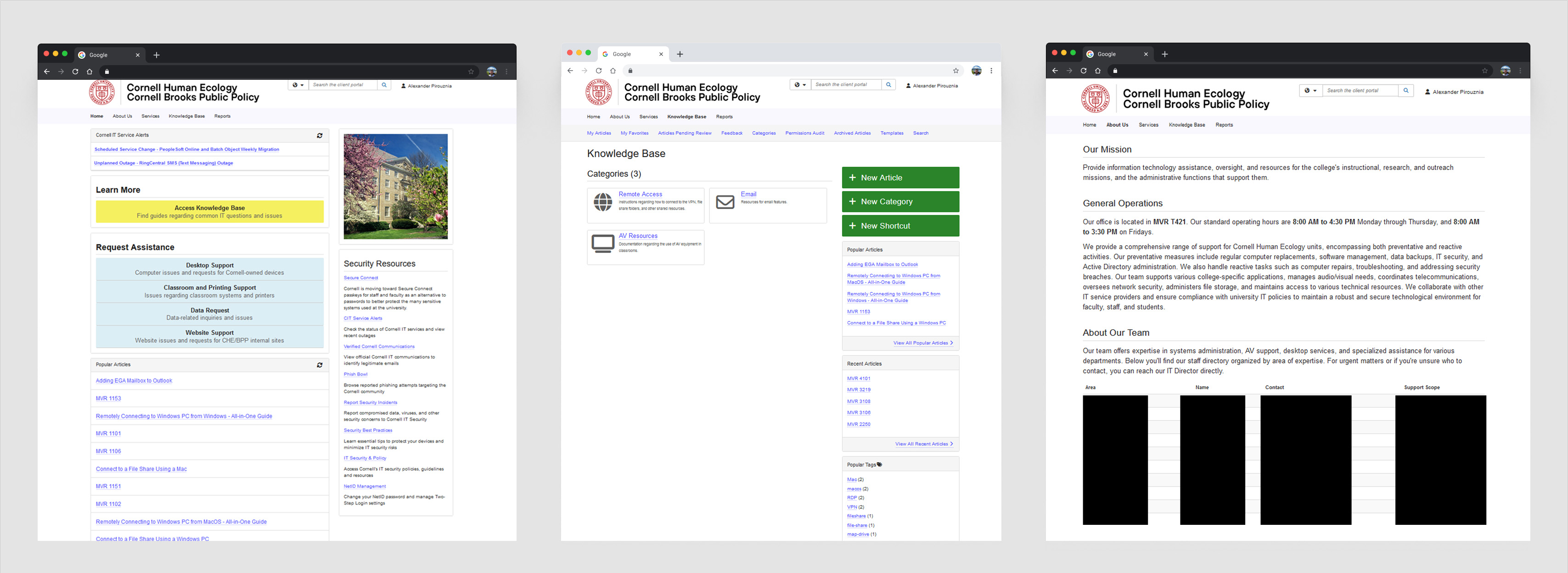
TDX made it easy to spin up a basic site since most of the setup is drag-and-drop. That said, I still
built out most of our custom styles using Bootstrap CSS. This let me quickly tweak layouts and
visuals as we iterated, so I could roll out better versions of the site without much friction.
Final implementation of portal site.
Constraints & Challenges
The project came with several constraints to work within. The portal had to integrate with existing
TDX infrastructure and components while serving diverse user groups including faculty, staff, and
students. Many styles and components were set centrally, limiting customization to colors and
content. The knowledge base wasn't always public-facing which affected discoverability, and users
often misclassified tickets or avoided submitting them altogether. This pointed to a need for
clearer
support categories and guidance.
Measuring Efficiency
To track the portal's effectiveness, I set several success metrics. We promoted engagement
with the knowledge base by tracking article popularity and usage patterns. Analyzing ticket
submission helped identify common issues and opportunities to clarify request types.
Reflection
What Worked
Centralizing support resources and making the knowledge base prominent helps users solve problems
faster and reduces IT workload. Service alerts and popular links make navigation intuitive.
What's Next
I plan to continue expanding the knowledge base with more comprehensive guides and troubleshooting
articles.
Biggest Challenge
Balancing the needs of different user groups while working within the constraints of the TDX system.
Ensuring accessibility and clarity with limited customization options.
Takeaways
This project reinforced the value of clear information architecture and self-service tools in IT
support. Even small improvements to navigation and content can have a big impact on user experience
and support efficiency.