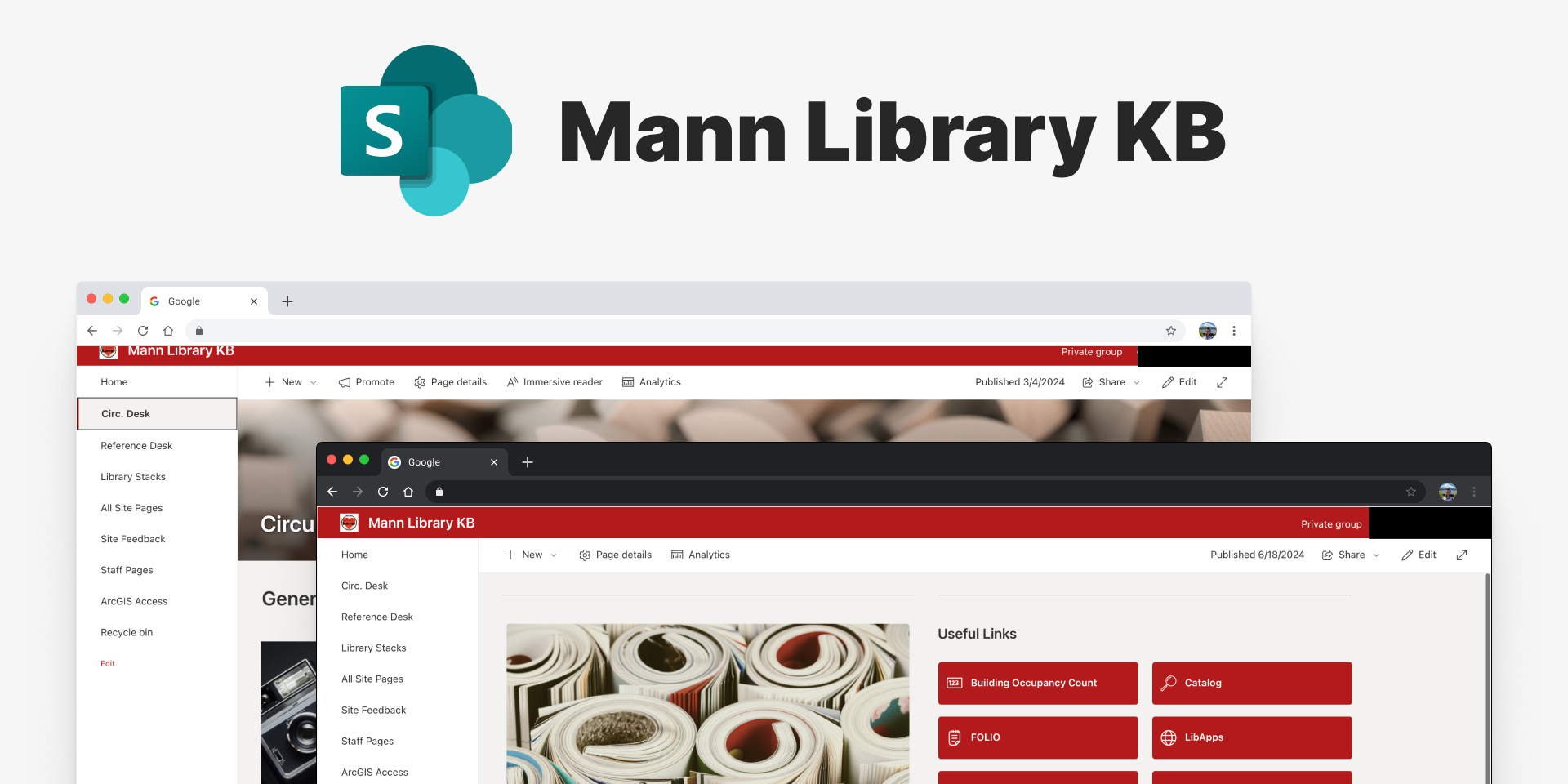
As part of my role at Mann Library, I identified a critical need for a centralized knowledge
management system. Staff were struggling with scattered documentation and inefficient
information retrieval. Taking initiative, I led the development of our internal knowledge
sharing platform, focusing on user research, information architecture, and creating an intuitive
interface that would streamline staff workflows.
Duration1+ year
RoleSystems Designer
TeamSolo Project
ToolsSharePoint, Microsoft 365, Box
My Contributions Led the end-to-end development of the knowledge base, from
initial research and information architecture to implementation and staff training.
I collaborated with circulation, reference, and technology services staff to gather
requirements and validate the information architecture.
Established standardized templates and workflows that improved documentation consistency and
accessibility.
Project Context: The Mann Library Knowledge Base was developed to centralize
documentation, streamline staff workflows, and improve information accessibility using
SharePoint, integrated with the Microsoft 365 environment for scalability and ease of use.
Note: Due to the internal nature of this project, specific
details and screenshots have been generalized to protect confidential information.
Results & Impact
This initiative provided impactful results where over 110+ pages of documentation were created
and maintained. We achieved 100% staff training on the new system, ensuring full
adoption. Furthermore, 90% of frequently used procedures were successfully migrated,
streamlining critical workflows across the library.
Key Outcomes
The development of the knowledge base led to several important improvements for the library staff and
their daily operations. We established an accessible, standardized knowledge base for library
procedures that any team member could navigate and contribute to. Standardized templates and style
guides allowed any staff member to create new pages with a consistent look and feel, reducing the
learning curve for documentation.
We also created sustainable maintenance workflows designed to account for natural staff turnover
which ensured the system would remain useful even as team members came and went. Information
accessibility improved significantly through search capabilities and clear content
categorization. This made it faster for staff to find what they needed.
User Feedback & Adoption
The knowledge base has been successfully adopted by the staff. Over 110 pages of documentation have
been implemented and maintained with more pages being contributed regularly by various staff
groups. Staff responded positively to the intuitive navigation using hero buttons which made
finding information straightforward.
The system expanded beyond its original scope to include staff profile pages which evolved into a
valuable onboarding tool. New team members could easily become familiar with the
site's functionality while also learning about their new team members. OneDrive integrations allowed
staff to more easily centralize folders and files for tasks like inventory management and meeting
notes.
The addition of personal staff pages, suggested through user feedback,
transformed the knowledge base from a pure documentation tool into a comprehensive staff resource
that supports both existing team members and new staff members.
Design Process
Research & Discovery
I gathered insights through an iterative feedback process during regular team meetings. This approach
allowed for real-time feedback on new features as they were developed along with organic discussion
of pain points and needs. Staff could collaboratively refine the solution which led to higher
engagement and adoption through their continuous involvement.
Key Insights
Staff expertise varied widely particularly in technical areas like AV equipment troubleshooting.
While circulation and reference staff shared common knowledge needs, position-specific information
required different organization approaches. Staff were using multiple platforms like Box, OneDrive,
Google Drive. This led to information fragmentation and critical procedures were often documented
in physical formats making updates and access challenging.
Knowledge loss occurred when staff members left as much information was stored in personal systems
rather than shared resources. Mobile access was also essential since staff frequently needed
information while moving around the library.
Solution Selection
Why SharePoint?
SharePoint was already integrated with staff's Microsoft 365 environment ensuring access without
requiring new logins or learning a completely new system. It was cost-effective since we could
utilize existing software licenses, and direct integration with OneDrive and Outlook improved file
accessibility. The platform was scalable and could be maintained by future staff with built-in
version control and collaborative editing features that suited our documentation needs.
While a custom website could have been an option, SharePoint's
integration
with existing workflows and long-term maintainability made it the ideal choice for sustainable
knowledge management.
Information Architecture
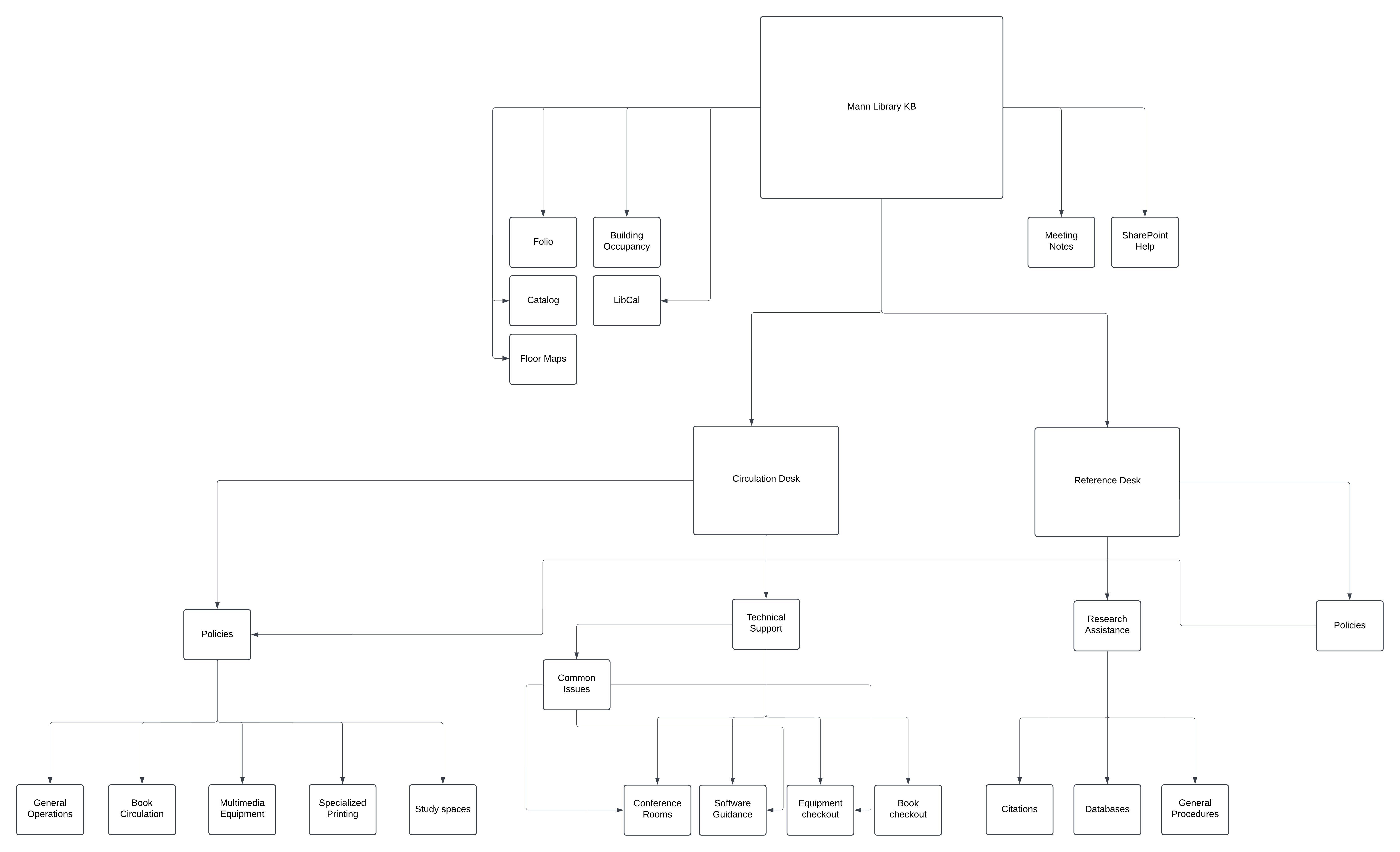
I developed a site structure based on position-based categorization and task-based navigation paths
making it easy for staff to find information relevant to their role and current task. Standardized
templates supported different types of documentation while maintaining consistency, and integrated
links provided easy access to shared folders on other platforms.
Information architecture diagram
Solution Design
Key Interface Features
The interface was designed with a small learning curve so staff could quickly create and edit pages.
Standardized page templates ensured consistency across all documentation while search functionality
allowed users to find information by keywords. A clear hierarchical navigation structure made
browsing intuitive, and a centralized interface let users access and manage shared files from other
platforms in one place. Since the site is nested within the Microsoft 365 environment, it's directly
accessible through email, OneDrive, and other Microsoft 365 applications staff already use daily.
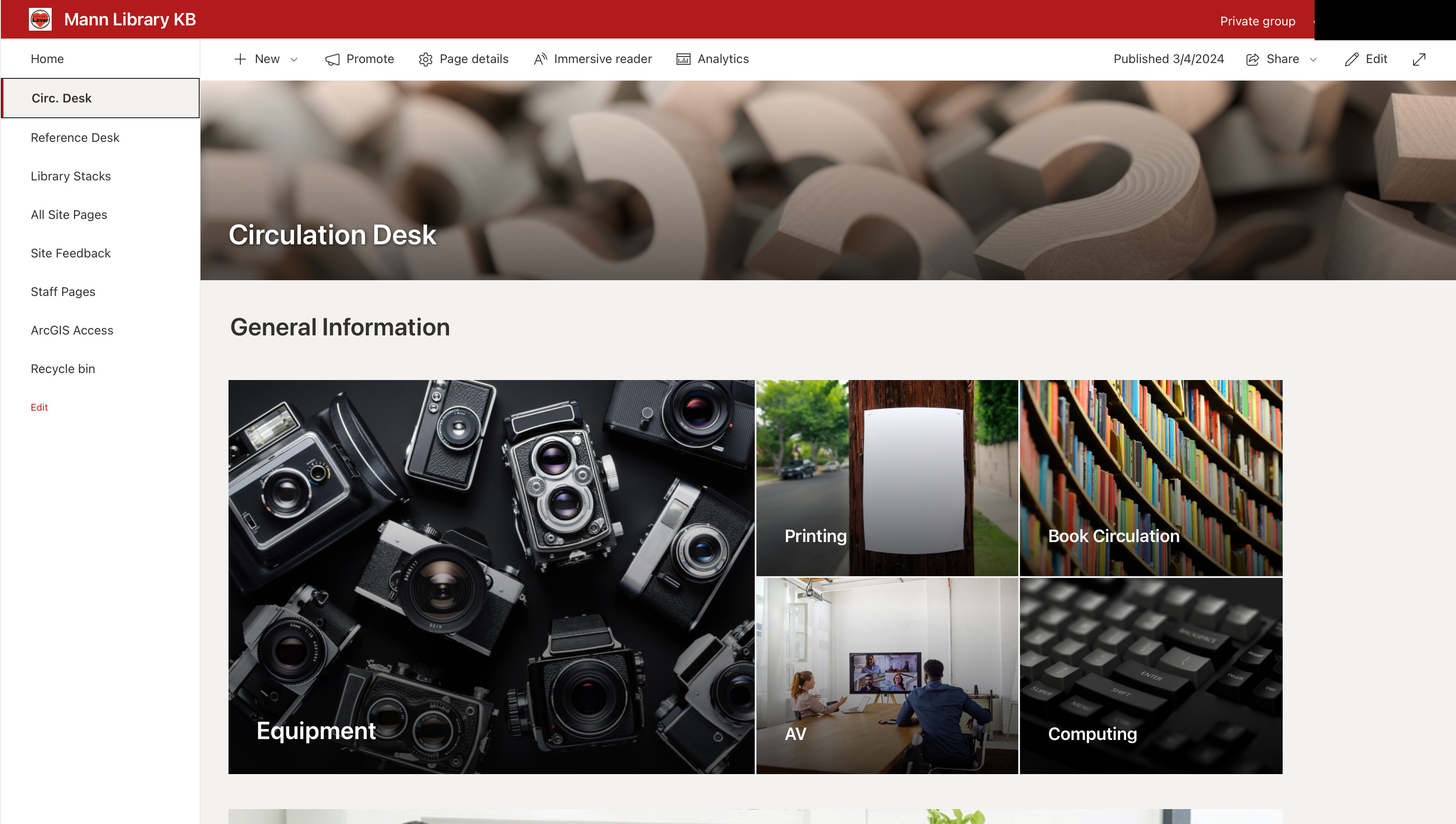
The screenshot below shows the homepage of the knowledge base as of the time of this case study which
staff have been using and editing for over a year.
Homepage featuring intuitive navigation with hero buttons for main sections (sensitive
information obscured)
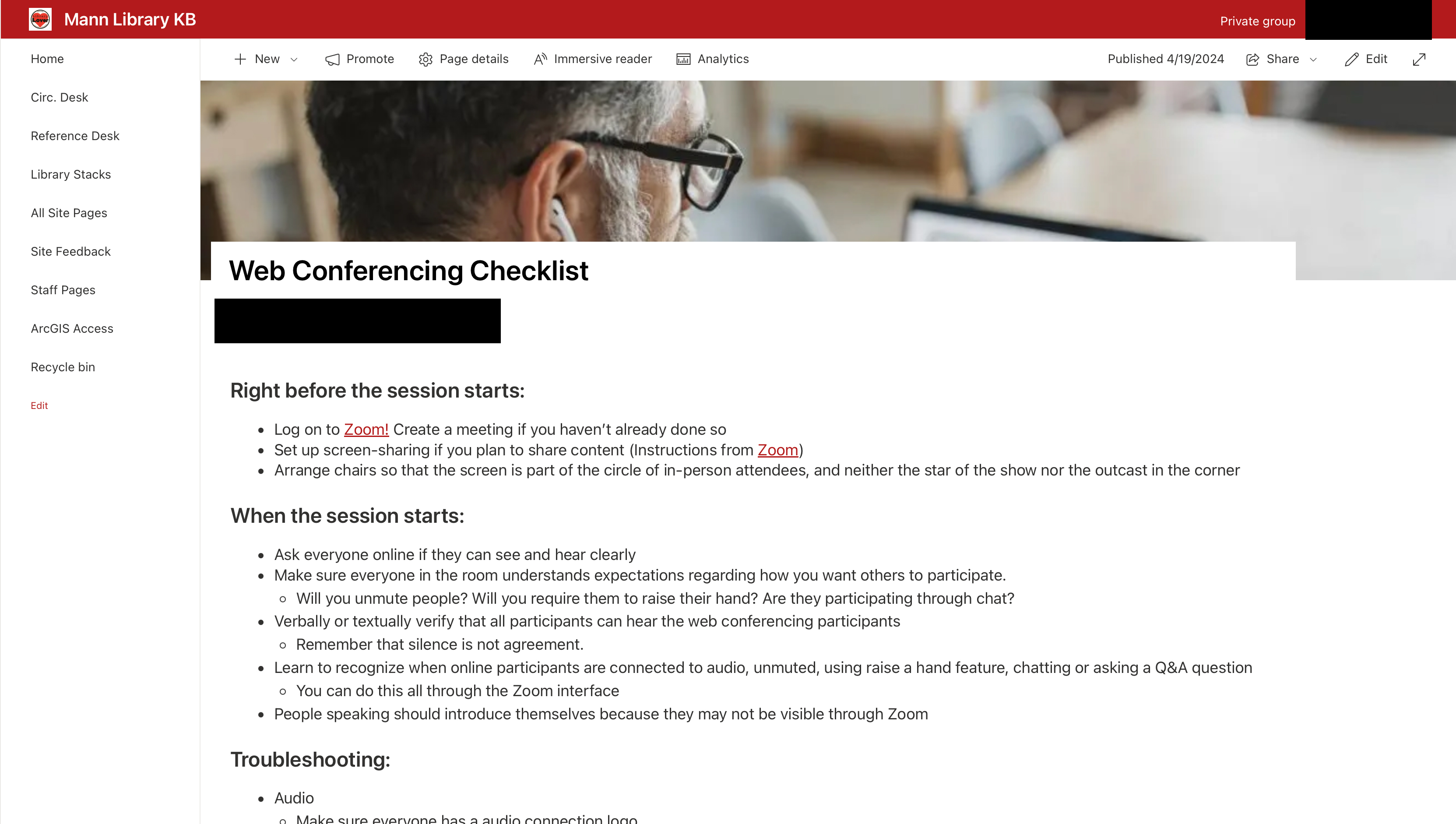
Standardized templates were key to maintaining consistency and ease of use across different types of
content, as illustrated by the following examples:
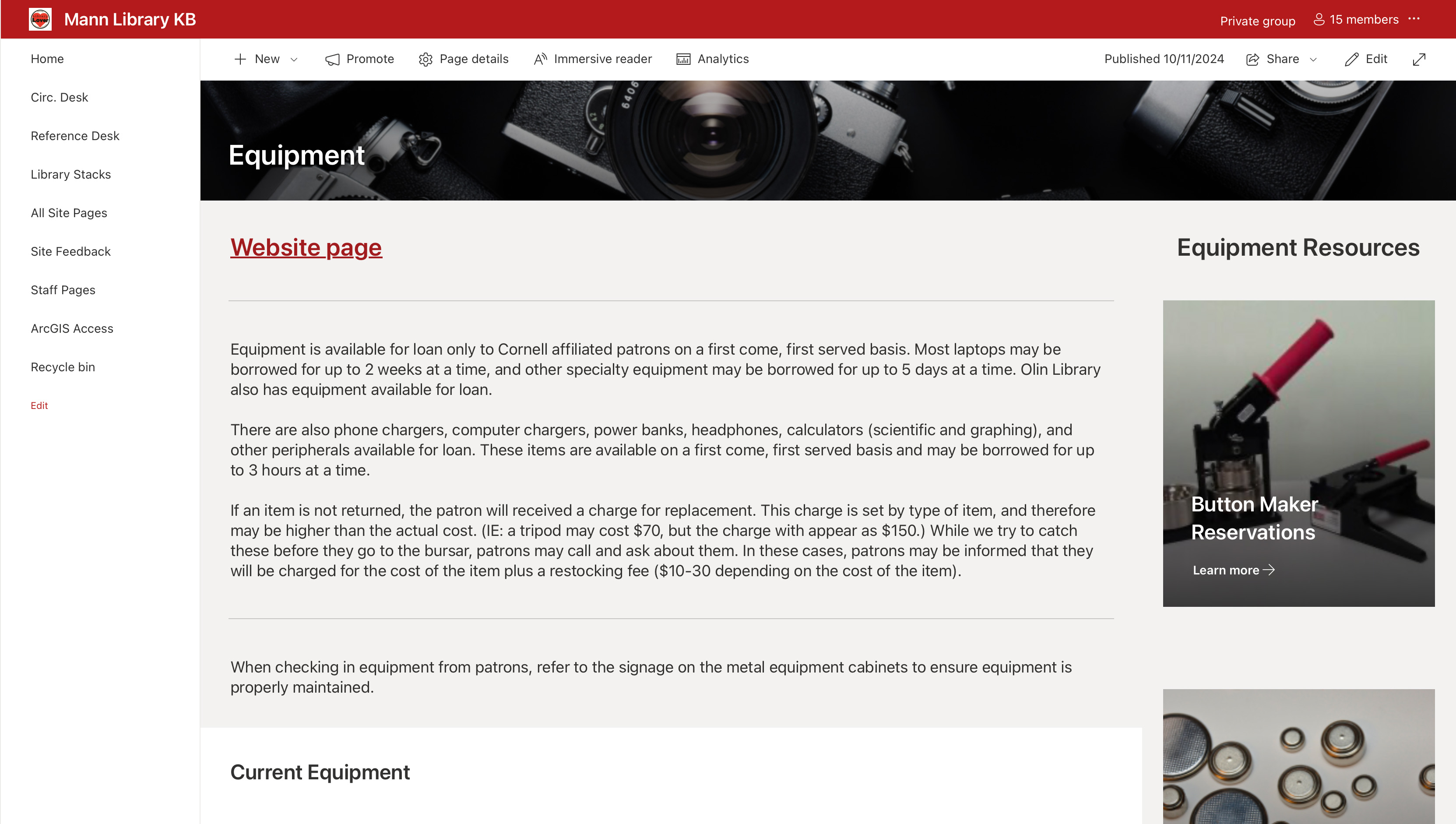
Standardized template for circulation desk procedures with clear sections and
formatting.Technical documentation for AV equipment setup with step-by-step instructions.
Equipment tracking and management interface with integrated file access.
Key Learnings
User Research & Design Process
This project reinforced how important regular user feedback is to designing effective solutions.
Team meetings gave me real insight into how staff actually worked within existing systems not just
how they thought they worked. I discovered the value of balancing comprehensive documentation with
maintainability through standardized templates and clear guidelines. Iterative design beginning with
core features and expanding based on user needs created better outcomes than designing everything
upfront.
Change Management & Adoption
Maintaining system adoption required regular communication, hands-on training, and early user
involvement. I found it especially valuable to identify and support enthusiasts who could champion
the system and help train their peers. Managing the transition from multiple platforms to a
centralized system proved complex, but with clear migration paths and patient guidance, I was able
to maintain workflow continuity throughout the rollout.
Technical & UX Insights
Working within SharePoint taught me how to balance platform capabilities with user experience
needs. I gained hands-on experience designing flexible information architecture that could
accommodate different user groups and evolving content ensuring the system would remain useful
as the library's documentation grew.