Older adults are adopting social media with help from younger family members, but this support
role creates challenges for the younger generation. This project explores those challenges and
designs better support systems.
Duration3 months
RoleResearcher & Designer
Team3 members
ToolsFigma, FigJam
My Contributions: I led team direction and workshop facilitation throughout
the project, guiding team meetings and running co-design workshops with participants. The
cultural probe methodology was managed from design through analysis. Research findings were
synthesized into requirements and personas that informed the interface design with a focus
on accessibility. Documentation was coordinated to translate insights into our final
solution.
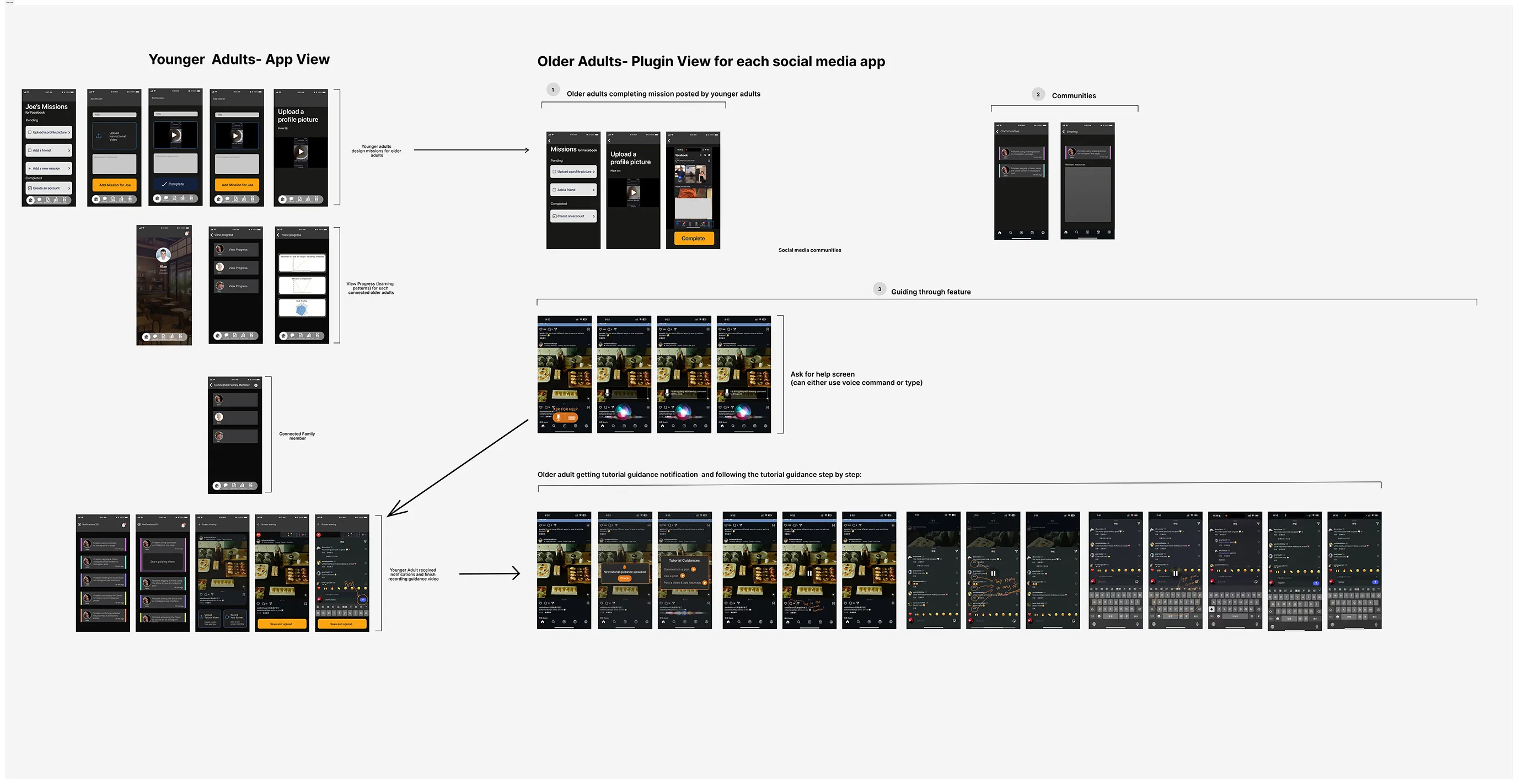
Complete product flow in Figma.
Research & Methods
A mixed-methods approach was used to gather insights from younger adults who assist older relatives
with social media, and to validate findings with older adults themselves.
Our research involved 18 participants across four methods. We interviewed 4
older adults aged 60 and above via video call, ran a week-long cultural probe with 3 younger adults
between 18 and 30, hosted two co-design workshops with 8 participants total, and conducted follow-up
validation sessions with 3 older adults.
Literature Review
After narrowing our project focus, we conducted a literature review. Each team member collected and
analyzed sources to be used in the summary.
Logistics
Each team member collected 3-4 sources and compiled
notable information onto a Google Sheet. Referencing these findings, we wrote a wrote a paper which
was iteratively improved throughout the duration of the project.
Key Findings
Technology adoption, especially social media, helps older adults reduce isolation, maintain
family relationships, and access critical services, though adoption rates remain uneven due to
trust and usability concerns.
Seniors face challenges such as complex interfaces, cybersecurity worries, lack of confidence,
and insufficient support. Internet access and digital skill gaps further hinder engagement.
Younger family members are the main motivators and teachers for older adults' technology use.
Intergenerational mentorship is characterized by personalized, repetitive, and emotionally
supportive guidance which proves most effective for overcoming both technical and psychological
barriers.
Older adults prefer simple, low-stress designs, hands-on practice, and step-by-step
instructions. They value reassurance about privacy and security and often benefit from
structured learning with family support.
Summary
While family support is important, not all intergenerational teaching fully meets seniors' needs. Few
studies compare traditional family mentorship with hybrid or community-based models which highlights
opportunities for more tailored and multifaceted support approaches.
Initial Contextual Interviews with Older Adults
Interviews with four older adults aged 60+ provided foundational understanding of their technology
attitudes and interactions.
Logistics
We conducted 4 one-on-one interviews each with older adults aged 60+ via video call. Interviewers
followed a list of general questions, but were encouraged to follow-up on more notable insights.
Questions asked explored digital habits, frustrations, and learning preferences. Interviews'
findings were thematically coded.
Key Findings
Most used social media to connect with family, but struggled with changing interfaces and
managing security.
Preferred learning through hands-on guidance from a trusted family member.
Expressed anxiety about making mistakes, especially regarding privacy and account security.
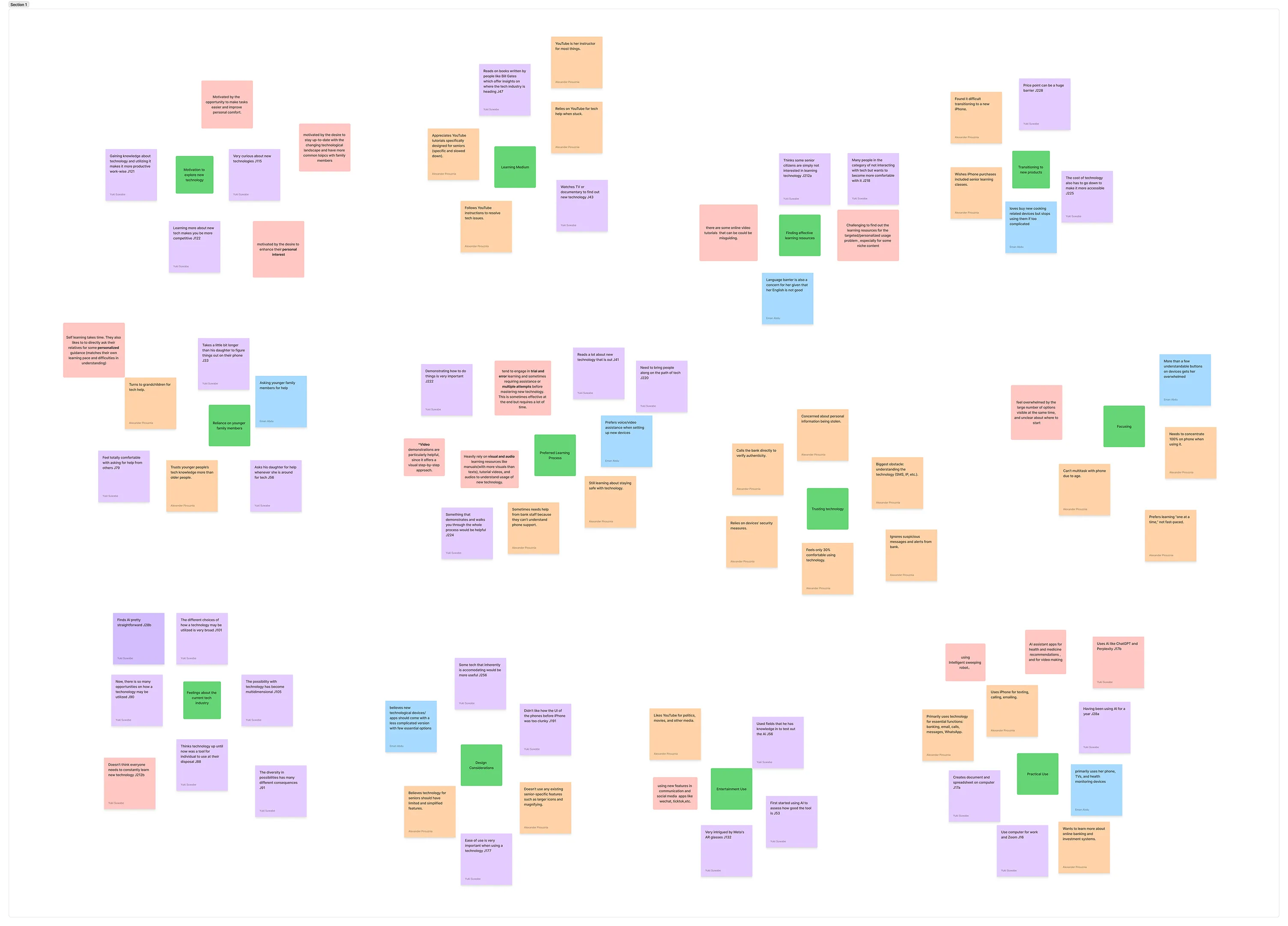
Findings were clustered into key insight groups in FigJam.
Contribution
These insights highlighted the need for a solution that feels safe, familiar and supportive which
prompted us to prioritize clear, step-by-step guidance and reassuring feedback.
Method I: Cultural Probe with Younger Adults
A week-long cultural probe with younger adults aged 18-30 captured nuanced insights into teaching
dynamics, communication challenges, and emotional labor. Participants used kits with scenario
prompts, journals, and teaching aid documentation tools. Findings highlighted complexity and privacy
as major concerns for older adults, and the importance of patience, repetition, and clear
instructions from younger helpers.
Logistics
We recruited 3 younger adults aged 18-30 who had recently assisted older relatives with technology
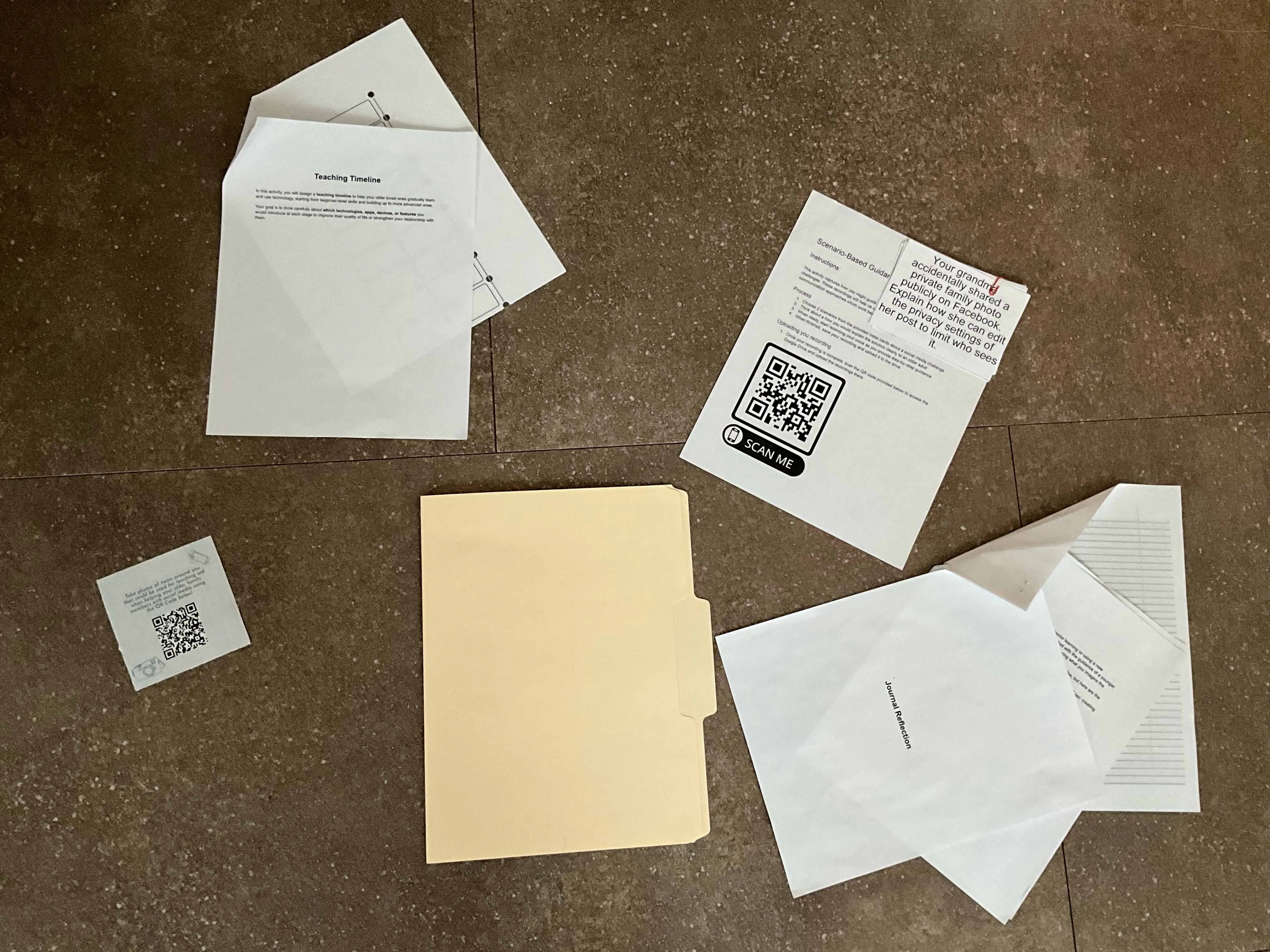
use. Each received a cultural probe pack including:
Teaching Timeline: A beginner-to-advanced timeline with technologies suggested
to inspire older loved ones and brief justifications for each choice.
Journal Reflection: Participants were asked to reflect on the experience from
the perspective of older adult who they may be assisting.
Scenario-Based Guidance Recording: A group of possible support scenarios
prompting the participants to upload a recording of how they'd aid the situation.
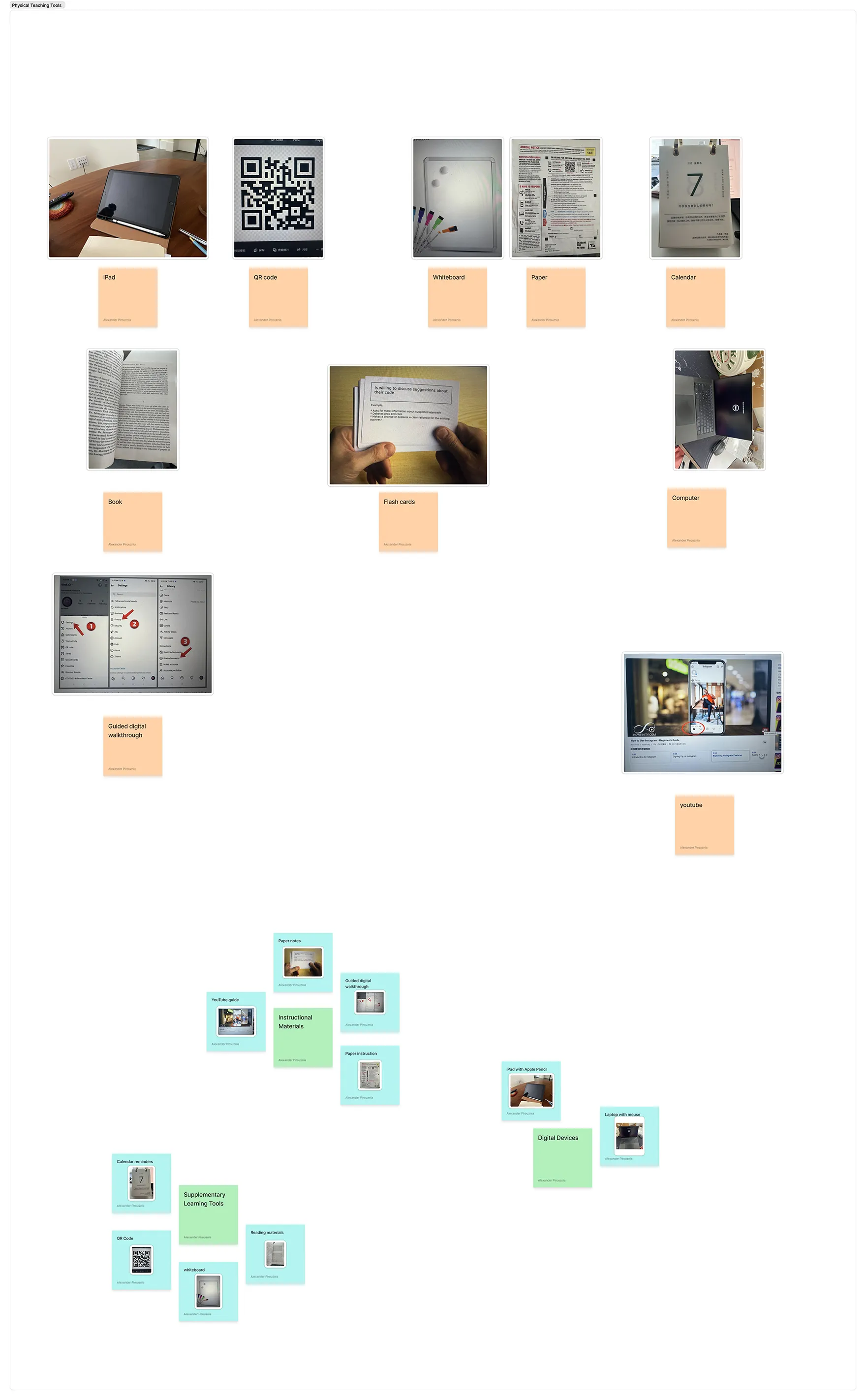
Teaching Aid Photo Documentation: Using the "Disposable" app, participants
captured photos of objects they find can be helpful as a teaching aid.
Teaching timeline, scenario-based guidance, journal reflection, and teaching aid
documentation items included.
Key Findings
Younger family members are essential in helping older adults adopt and use technology by
providing both technical and emotional support.
The teaching process is often reciprocal where older adults share life experience and younger
adults share digital skills.
Older adults face anxiety about making mistakes and concerns over privacy/security.
Technical jargon and changing interfaces can be overwhelming.
Younger mentors can struggle with patience and adapting teaching methods.
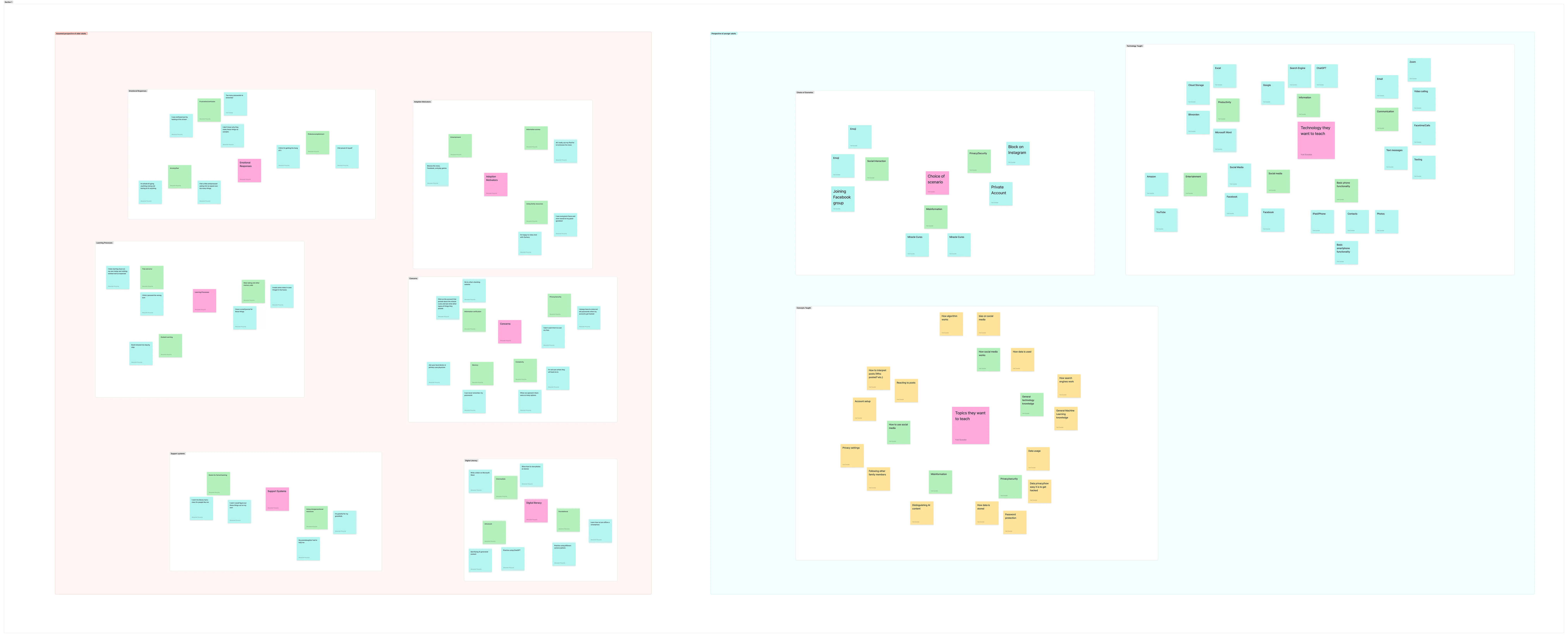
Findings clustered into perspectives of older adults versus younger adults.Findings clustered into physical teaching tools.
Summary
These findings showed us that accessible, supportive solutions help both generations feel empowered
and connected.
Method II: Co-Design Workshops
Two co-design workshops with younger adults involved problem framing, ideation, and concept
development. Participants identified challenges like unfamiliar interfaces and password management.
Solutions focused on familiar physical metaphors, visual documentation, and human/AI assistance. Key
themes included the need for accessible tech with human backup and visual guidance.
Logistics
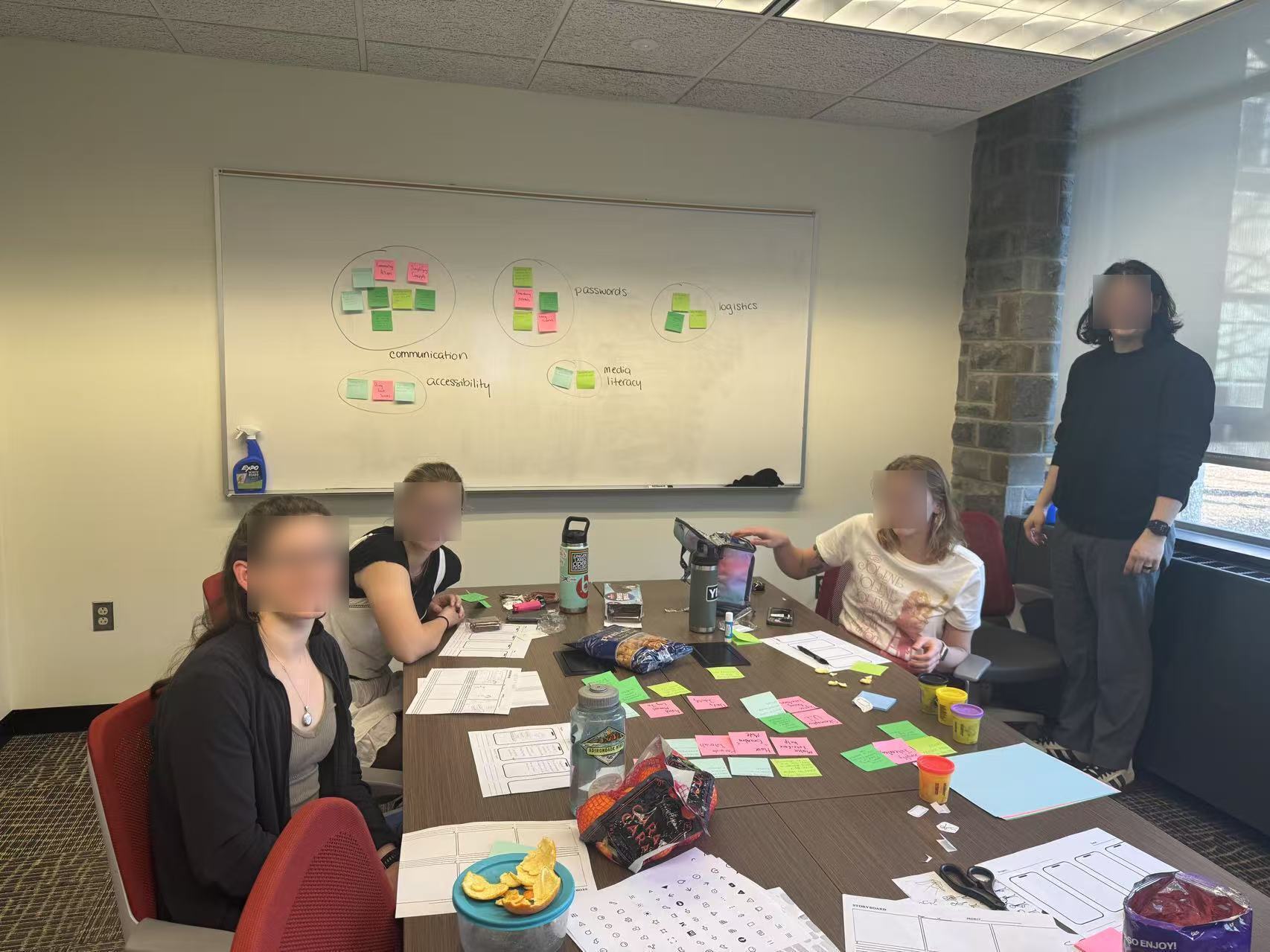
We hosted two 60-minute in-person workshops each with 4 young adult participants. Using whiteboards,
collaborative exercises, and other physical materials, participants mapped out common support
scenarios and brainstormed ideal features via guided activities. Sessions were recorded and data was
later analyzed to find common themes.
Participants in conference room having just participated in co-design session.
Key Findings
Participants identified challenges like unfamiliar interfaces and password management. Solutions
focused on familiar physical metaphors, visual documentation, and human/AI assistance. Key themes
included the need for accessible tech with human backup and visual guidance.
Desire for a quick assistance button for seniors.
Interest in personalized, family created walkthroughs.
Need for reminders and progress tracking to reinforce learning.
"What is my username? What is my password?"
"One week later... they're not here, so how did she increase the volume?"
"So you fake the TV dial. You fake the typewriter."
"A folder of visual steps and physical manuals."
"It's a new type of world with problems they're not trained for."
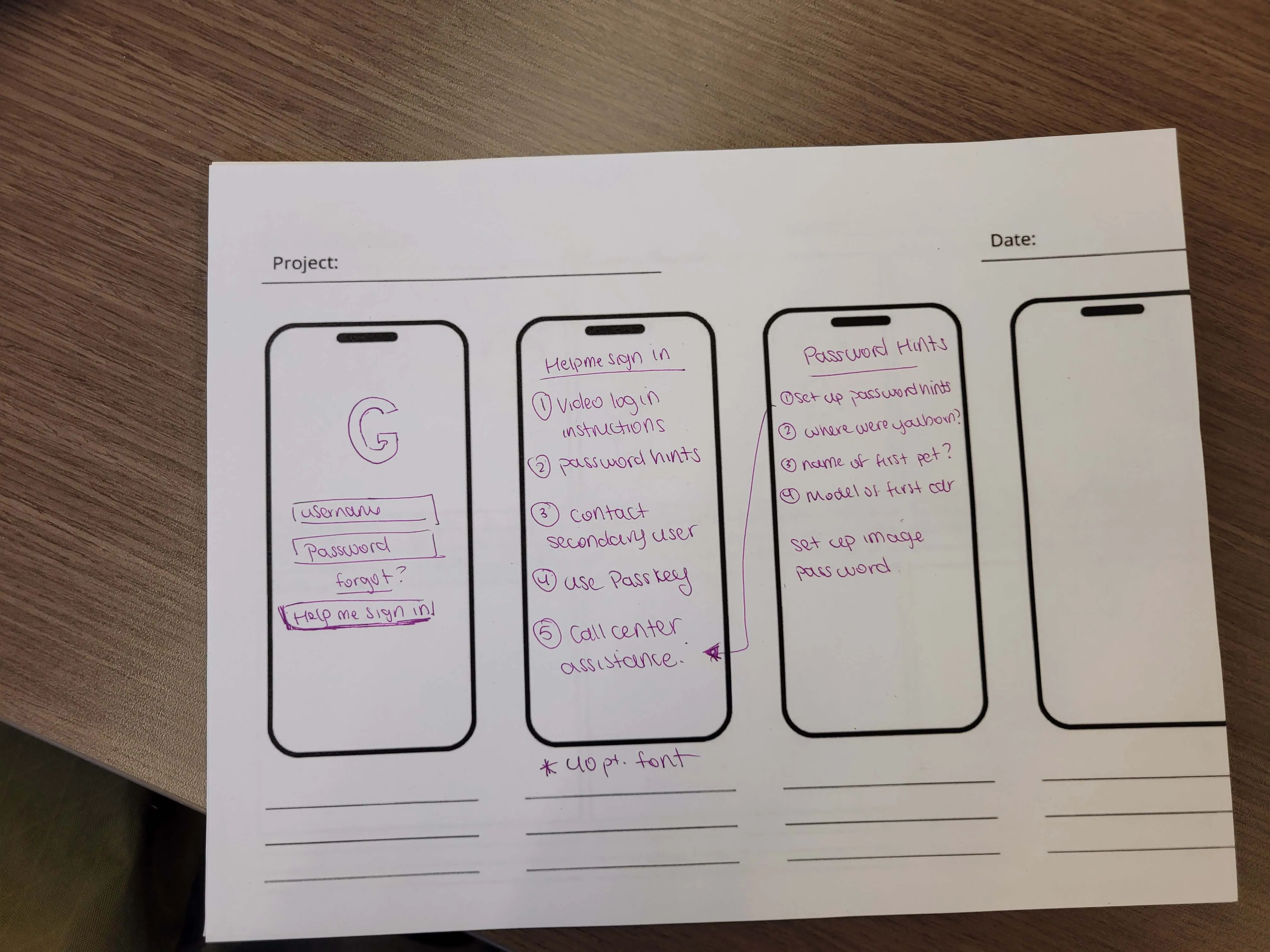
"Help Me Sign In" button with escalating assistance levels.AI-powered phone assistant with a physical help button.
Contribution
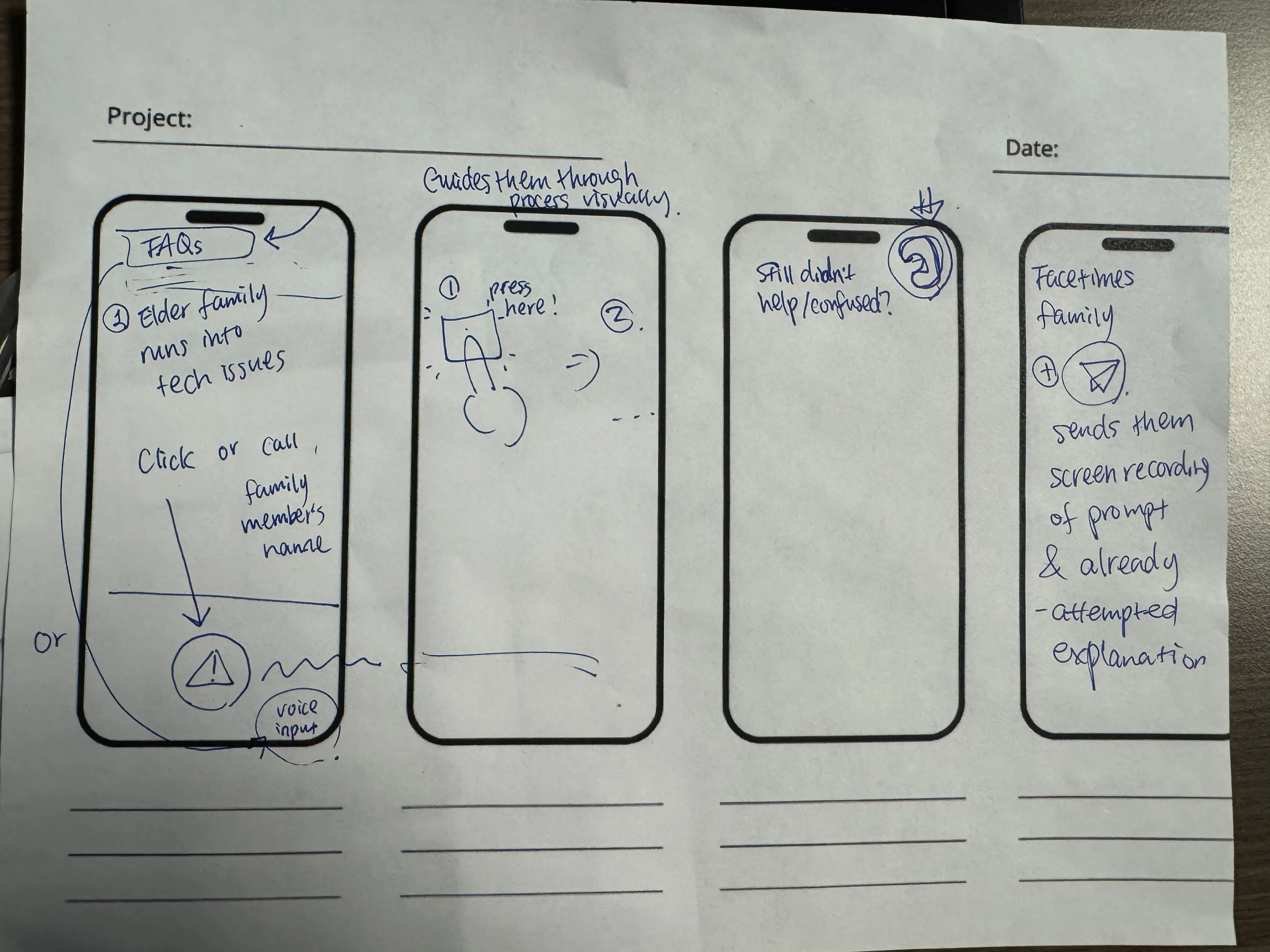
These workshops shaped our feature set. We added a help button, custom walkthroughs, and progress
dashboards based on what participants told us they needed.
Older Adults Follow-up
Follow-up interviews with older adults aged 60+ validated concepts from co-design workshops. They
confirmed challenges with password management, preference for family support but appreciation for
good AI agents, and the need for larger interface elements. Screen sharing was well-received, with
privacy considerations.
Logistics
We interviewed 3 older adults aged 60+, presenting them with the prototypes and storyboards. Each
session was within 30 minutes and focused on the usability, appeal, and likelihood of use. Feedback
was recorded and taken into account while analyzing our workshops' findings.
Key Findings
Strong preference for large, clear visuals and the option to hear/see instructions.
Appreciation for being able to revisit help content at their own pace.
Valued the option to connect with a real person if needed.
"I have a little book... That's my password book."
"I almost always go straight to asking someone in my family."
"I like big buttons and big text... I press wrong things if icons are small."
"If she could see what I saw, that would save us both time."
"Reading instructions doesn't help much and I need to see and hear it."
Contribution
This feedback confirmed our focus on accessibility and flexible support was right for older adults.
Based on research findings, we found that the project focused on two key areas for fostering
effective intergenerational tech support: context-aware support and long-term familiarity with basic
tech skills.
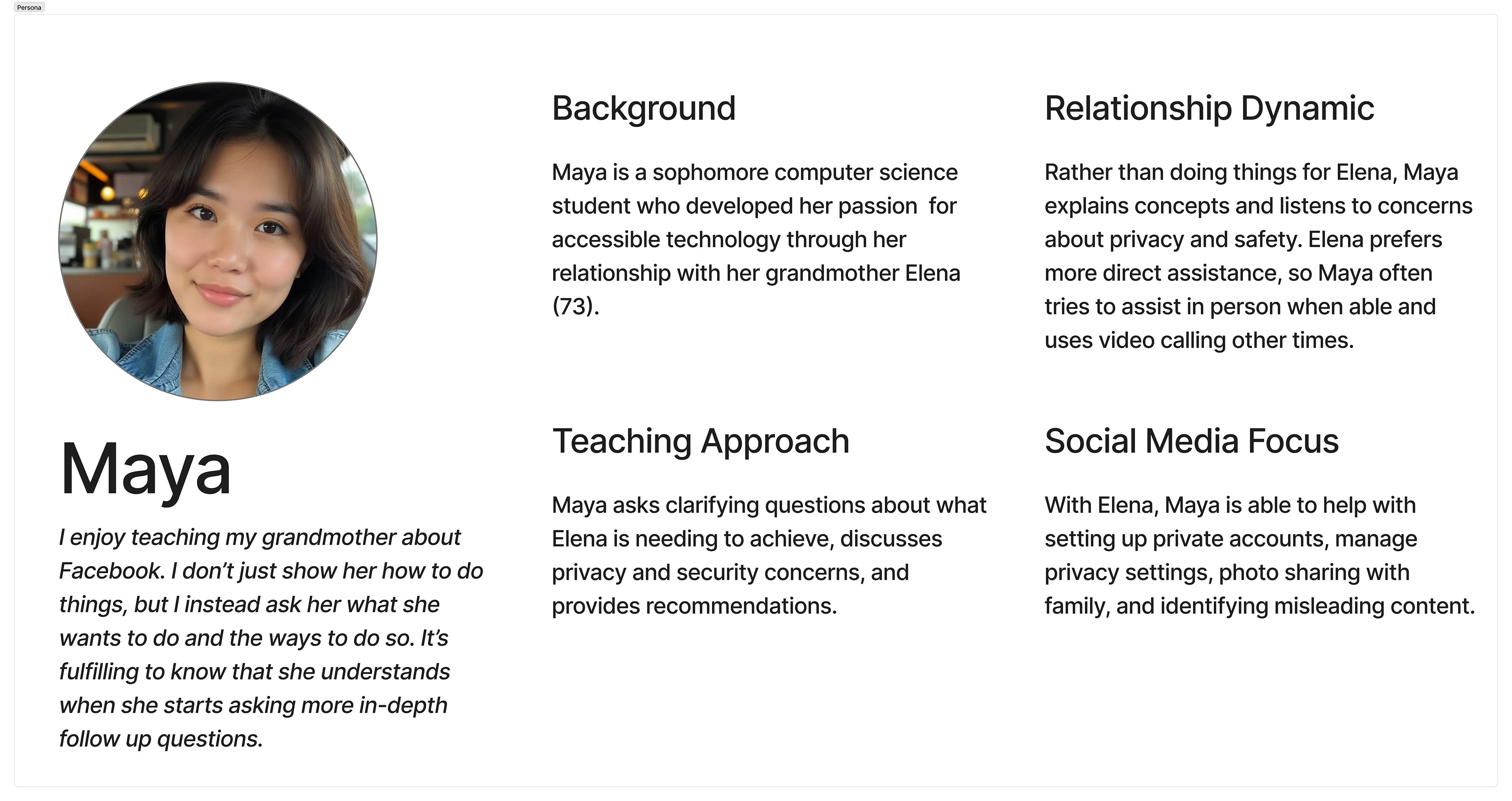
To help ensure our design fit the needs of our target user group, we ideated off of a persona which
was iteratively improved throughout the project.
Ideation
Persona detailing target younger adult audience.
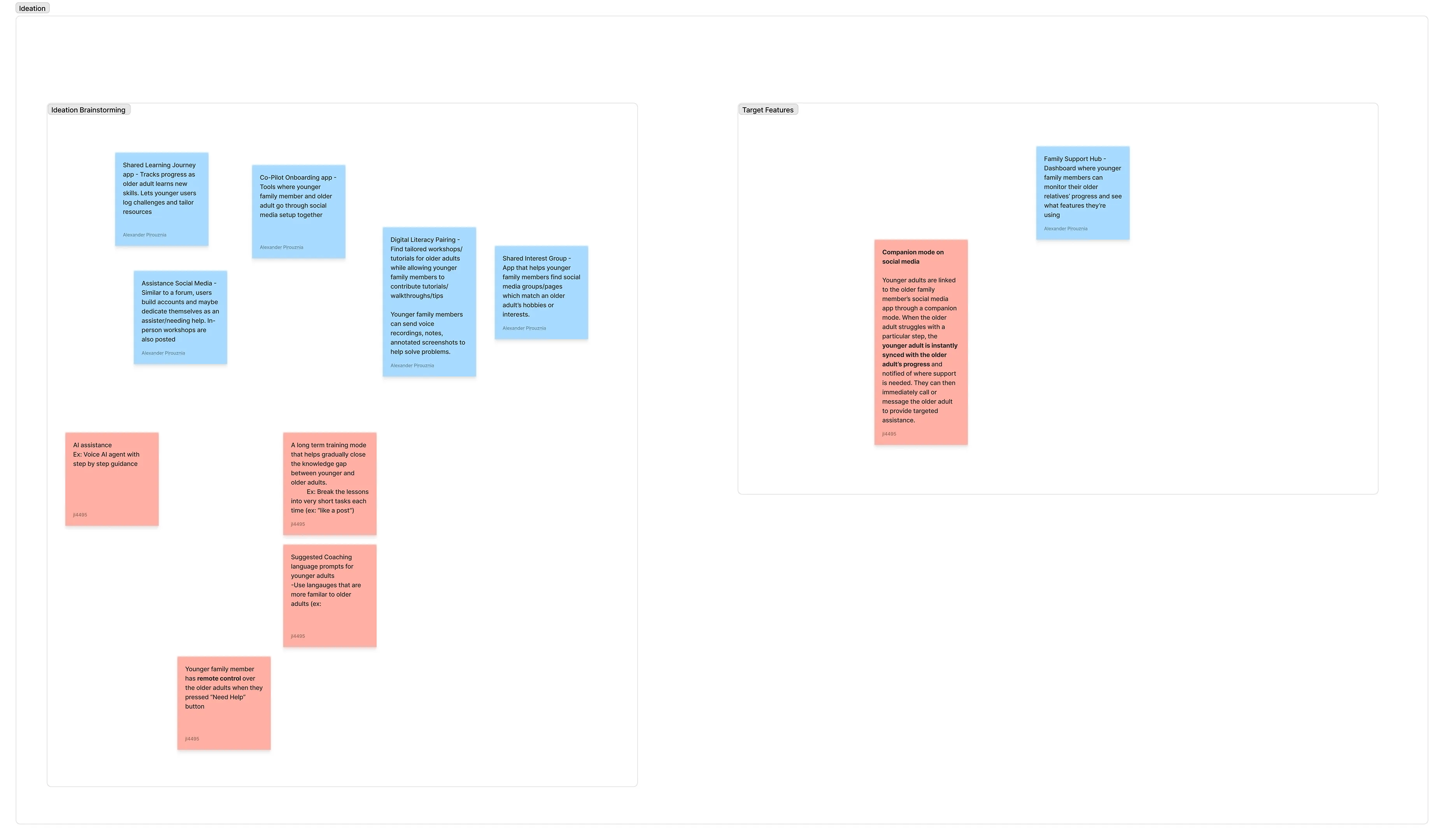
As we wrapped up our research, we quickly moved into brainstorming potential solutions together. We
focused on coming up with as many ideas as possible in a short amount of time. With a wide range of
options on the table, we sorted through them and chose a few key ideas to base our design on. For
inspiration, we also looked at how self-care apps work-especially Finch, which lets friends check in on each other's wellbeing.
Rapid ideation followed by target features.
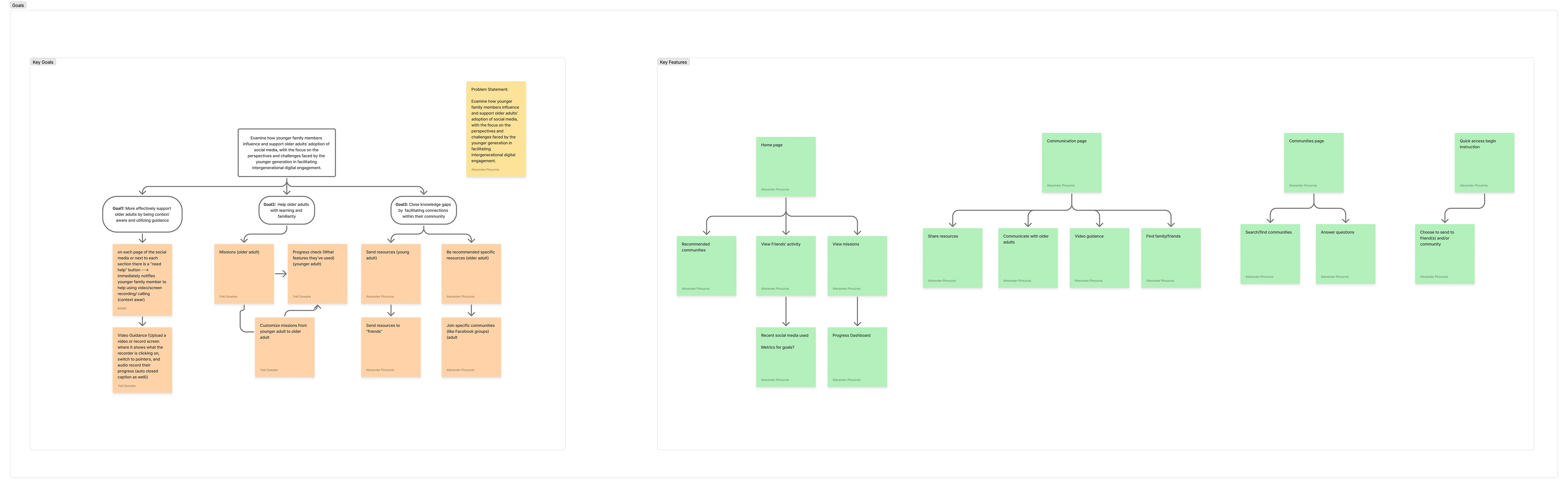
Following our final direction to follow, our application was further fleshed out by branching off 3
key goals. Furthermore, we created a brief information architecture to help guide the flow of the
application.
Sticky notes for key goals followed by general information architecture for application.
Core Concepts of GenConnect
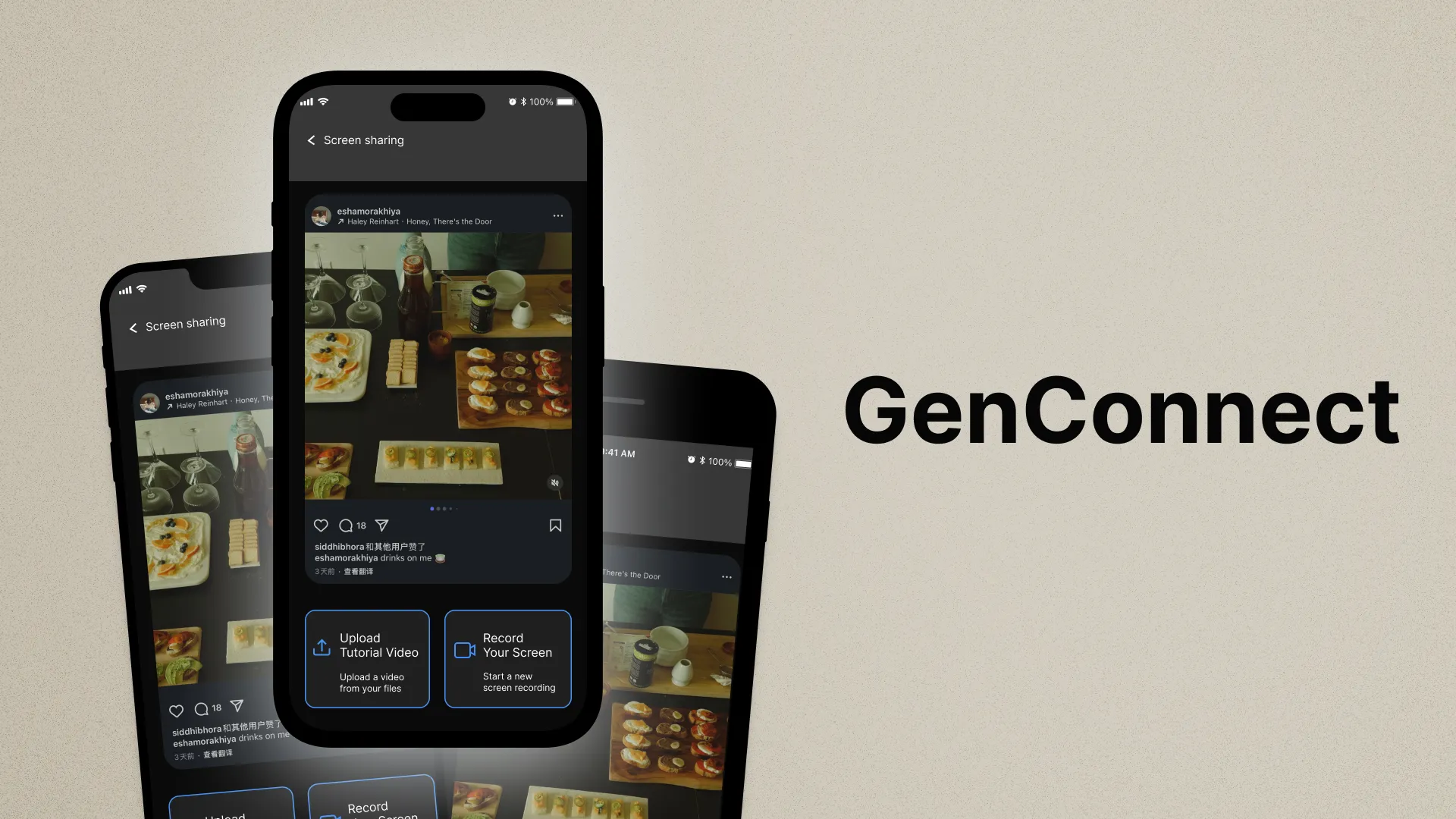
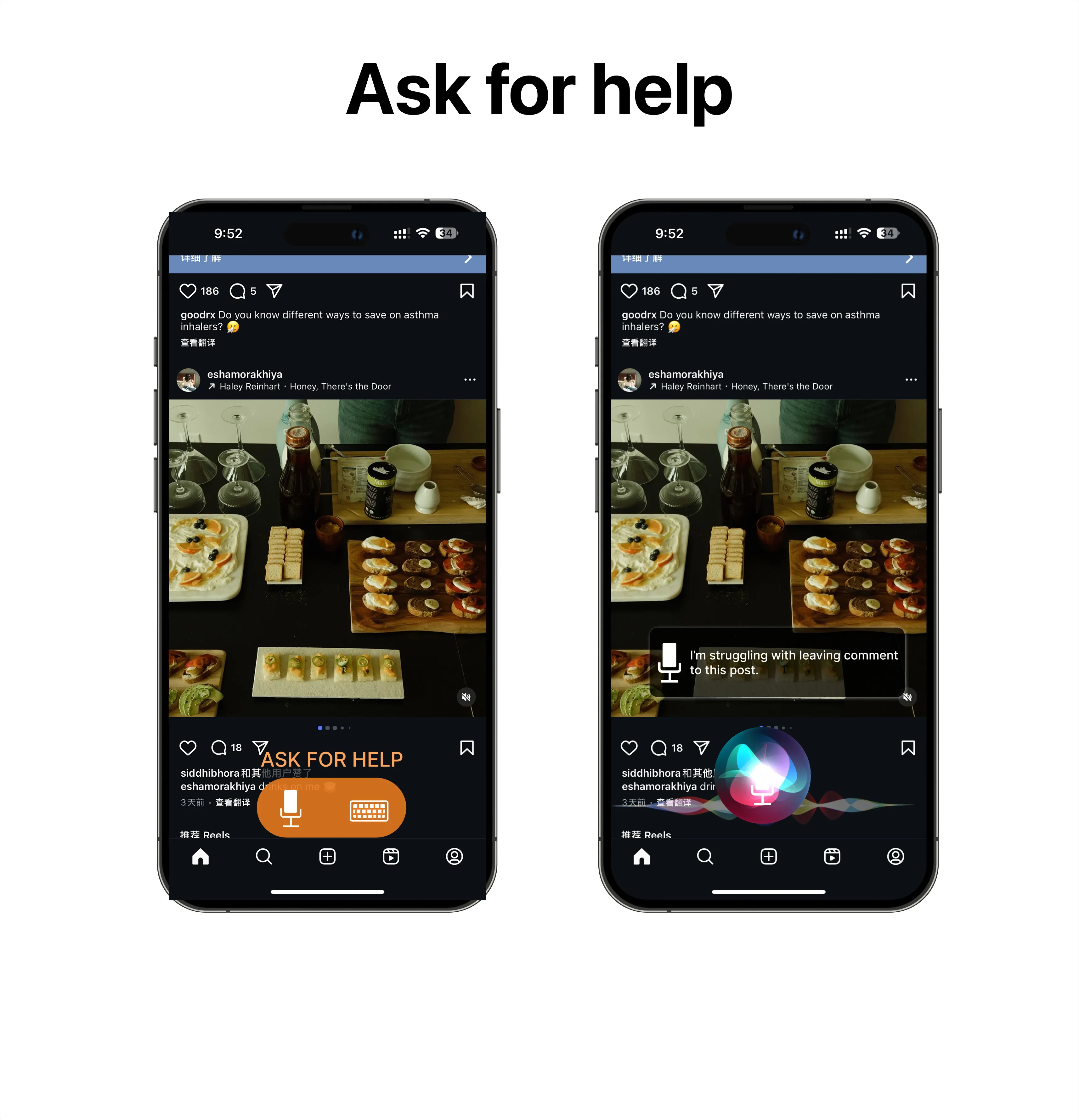
For Older Adults: An interface with a voice agent integrated into social media
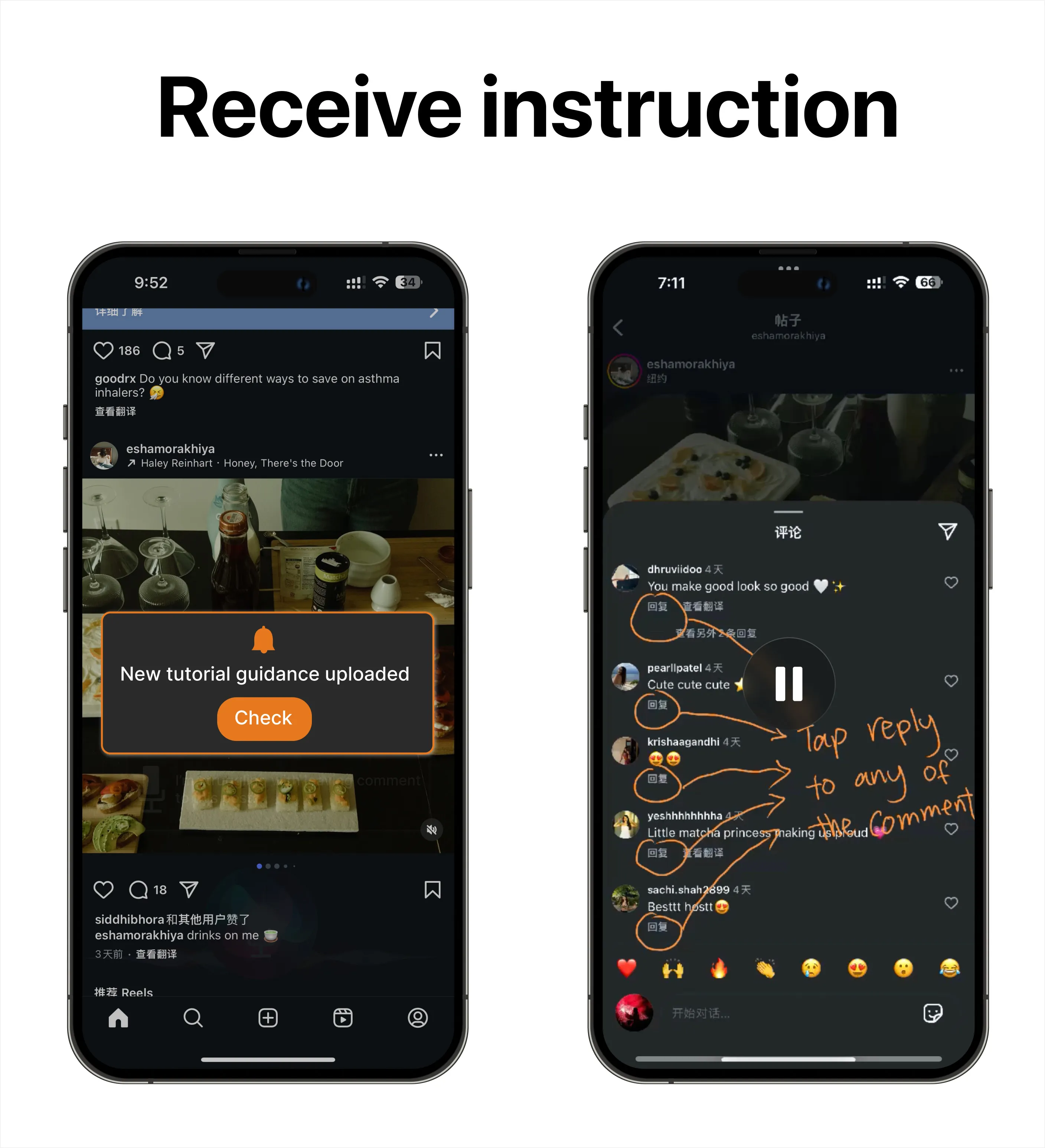
platforms for natural questioning and immediate guidance. A notification icon provides walkthroughs
from family members. Behavior-based suggestions offer proactive help. "Missions" and community
groups foster learning and accomplishment.
For Younger Adults: A dedicated app to respond to questions, create custom
walkthroughs, and track the progress of older adults they assist. This addresses the challenges of
teaching and the need for structured communication tools.
Key Features of GenConnect
Voice Agent + Keyboard Input
Flexible input methods for older adults to ask for help within social media. System offers help based
on user behavior (e.g., lingering on a screen).
Older adults can easily get help either through voice or typing prompting.
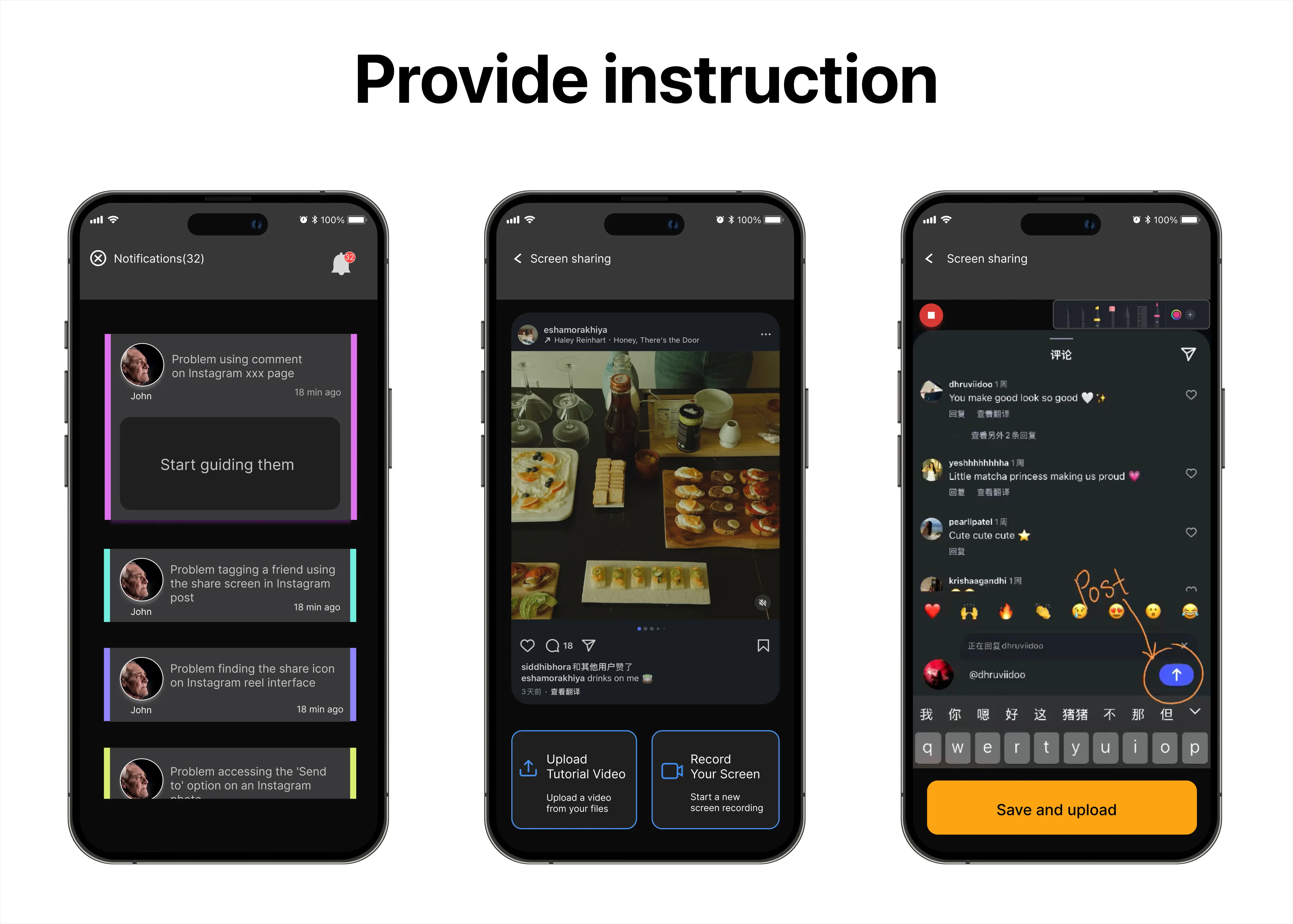
Custom Walkthroughs
Younger members can go through questions initiated by older adults and cater step-by-step guides.
Younger adults are able to create tailored guides based on the questions asked.
Older adults receive a notification when instructions are sent to them and can actively
follow along.
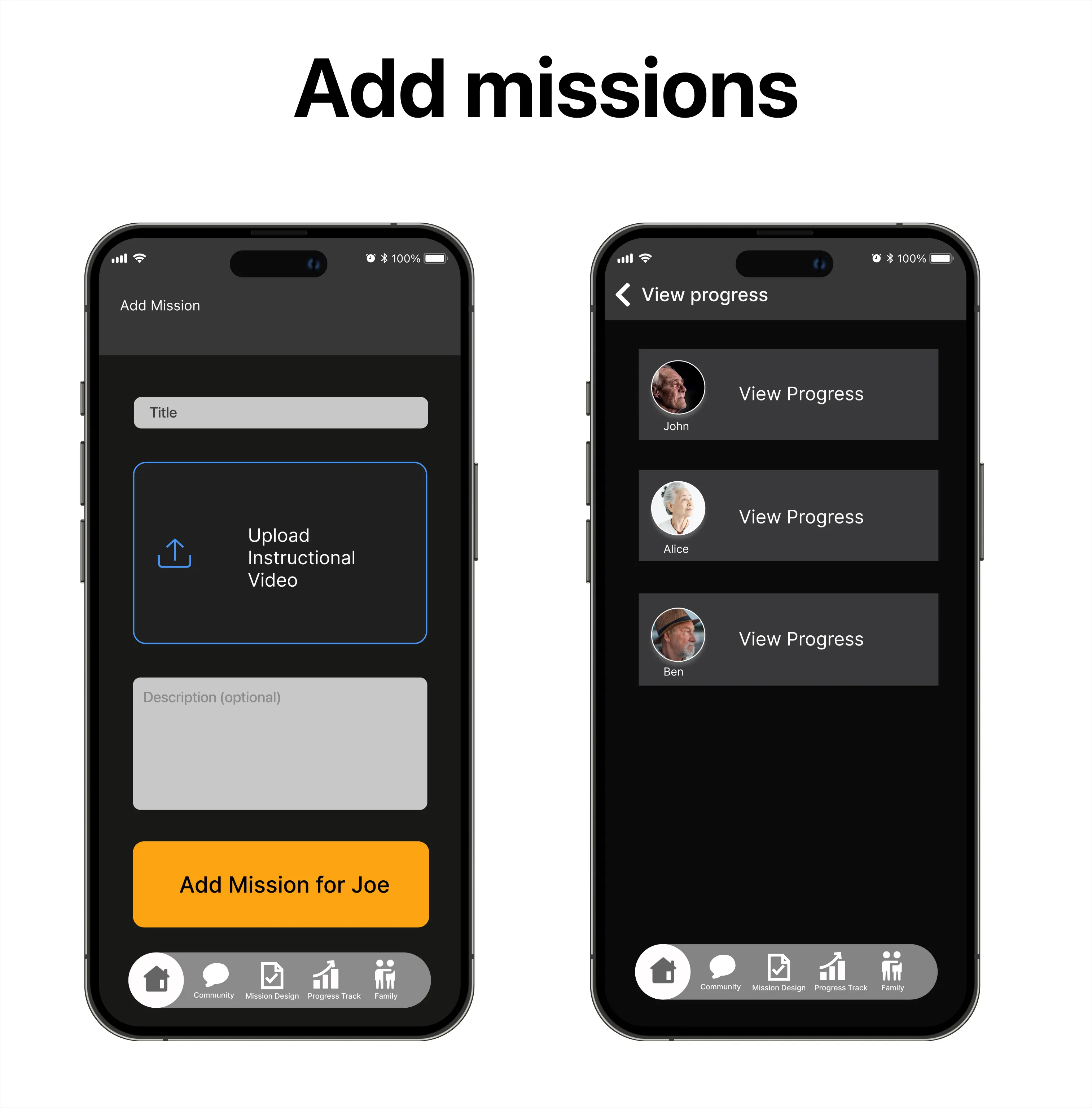
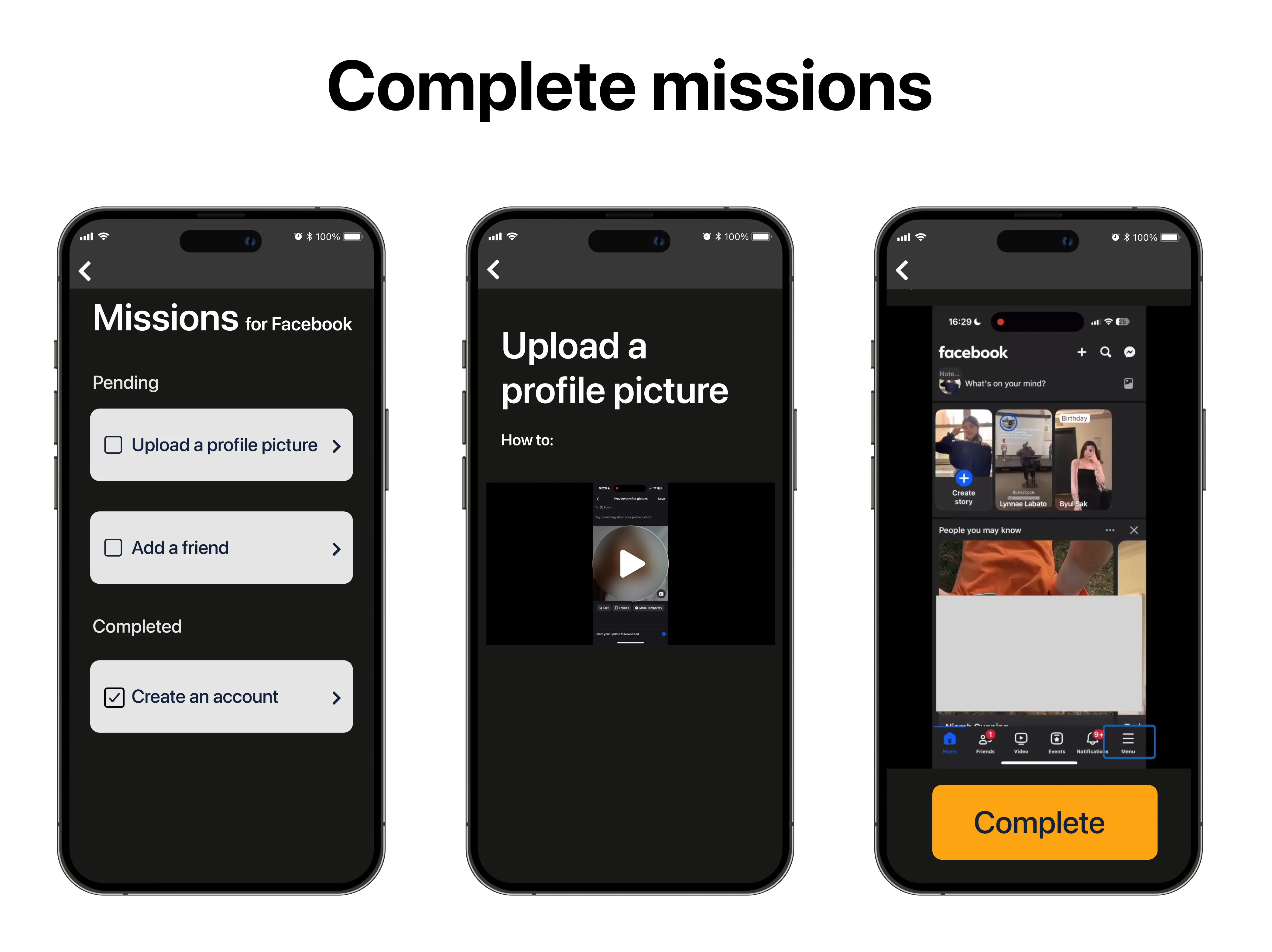
Learning Missions & Community
Structured learning and social support for older adults. Younger adults can monitor learning
progress to help tailor support.
Younger adults can add missions for older adults and follow their progress in achieving
their learning goals.Older adults can see missions pending for them and complete them as they wish. They can
also revisit completed missions if they need to recall how to complete a task.
Discussion & Conclusion
Direction Going Forward
Time constraints prevented us from conducting usability testing, but this revealed a need
for gathering real user feedback and iterating on both the product flow and interface. Testing with
actual older and younger adults will be essential to refine GenConnect and validate our design
decisions.
Limitations
Some older adults may still hesitate to adopt new technology and younger adults might experience
support fatigue. Recruiting older adults was challenging and studying both generations together
wasn’t always possible.
Conclusion
This project revealed how much younger family members need support when helping older adults
navigate technology. We learned how to design spaces where both generations can feel confident
working together.